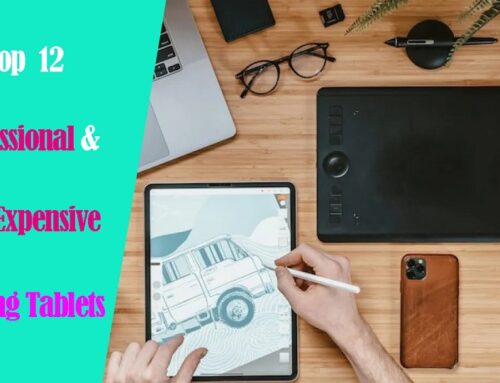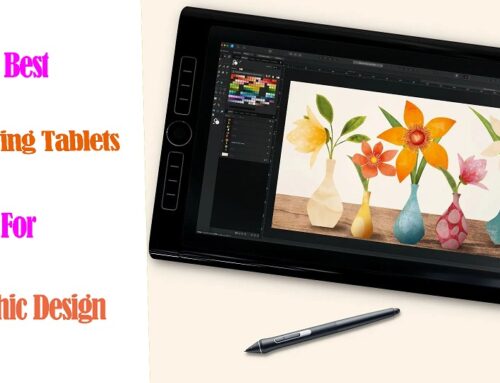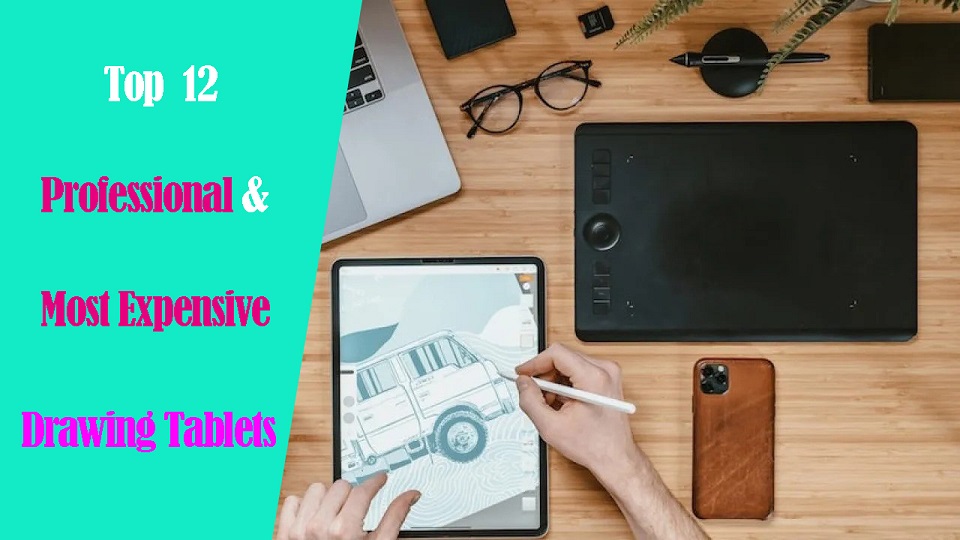
The graphic tablet is one of the most necessary accessories in the graphic artist’s studio.
It allows artists to use a pen to make creative design such as incredible artwork, illustrations, and animations onto the computer screen.
In addition, it speeds up workflow, improves precision and offers greater ergonomics than a mouse.
Wacom is a well-known brand in the world of digital art, but their tablets can be quite expensive.
Fortunately, there are some great alternatives that offer the same quality and performance without breaking the bank.
Why is Wacom considered the Best?
Wacom is considered by many to be the industry standard. Wacom has been creating drawing tablets for years. They are well known for creating reliable, long-lasting products, with a lot of key tech.
In the industry, most artists use Wacom products because of their quality, durability and superior accurate and precise.
Wacom is known for providing quality driver support. Their tablet drivers continue receiving updates long after a product is released.
Is the Wacom worth the Money?
Wacom tablets are very expensive, It costs twice as much as some of its counterparts in the market.
However, the brand is renowned for its high quality, And their tablet offers an accurate and pleasant drawing performance. In addition, there are some brand premiums.
If you are professional and have a flexible enough budget, then you shouldn’t think twice about getting the Wacom.
What types of tablet does the Wacom Offer?
Wacom provides intuos pen tablets, Cintiq interactive pen displays, and MobileStudio Pro standalone tablets to equip and inspire everyone to make the world a more creative place.
Wacom Intuos and Intuos Pro are drawing tablets without a screen, so you need to draw on the tablet while looking at your computer screen.
These drawing tablets aren’t as powerful as others but they are the most affordable. This makes them the best option for budding artists who want to start doing digital art without spending too much on a tablet, for now.
Wacom Cintiq has an Integrated screen that comes in various sizes and provide a pen-on-screen experience for precise and natural drawing.
Although the Cintiq models have a screen of their own, they are not “standalone tablets”. They need to be plugged in to your computer to work, and will use your computer’s resources to work.
Wacom MobileStudio Pro is a computer and a portable small Cintiq, much like a Microsoft Surface, iPad and samsung galaxy tab.
Therefore, they don’t need to be connected to your computer to be able to work with them. It’s portable, easy to use, and allows you to draw on the go.
Still, they have one noticeable flaw: the price.
What brand competes with Wacom?
There are a hand full of really good competitive brands out there, and it’s really hard to beat prices. Lots of features for a fraction of the Wacom price.
1. Huion
Huion is a chinese company, which was established in 2011. Its logo is a representation of 3 pencils. The number three symbolizes in the Chinese culture “stability, balance, the tripartite confrontation and development”.
Huion uses independent innovations to build digital panel and screen systems, stylus pens and other professional product lines.
At this moment, it has a total of three series: Inspiroy, Kamvas, and Kamvas Studio. They all have very iconic characteristics and you can select the right model that fits your demand.
2. XP-Pen
XP-Pen is another Chinese brand that makes great drawing tablets. It was originally founded in Japan in 2005 and is now affiliated with a parent Chinese company, Hanvon Ugee.
It is a professional and reliable supplier of graphic tablets, pen display monitors, stylus pens and more digital graphical products.
XP-Pen has a huge variety of graphic tablets as well as drawing accessories. Right now, the company provides tablets from 3 different series: Star Series Tablet, Deco Series Tablet, Artists Series Display tablet.
XP-Pen is currently the only company which offers company-developed Linux drivers (still in beta testing). As a comparison, Wacom’s Linux drivers are community-developed, and are not actually official drivers.
3. Gaomon
Gaomon is a Chinese high-tech enterprise that is known for independently researching and developing core technology such as animation products and handwritten input digitizer products.
Since our establishment in 2011, GAOMON has developed over ten digital products that have found applications in various fields.
4. Ugee
Ugee, founded in 1998, is one of the leading digital hardware and software developers in China.
For over twenty years Ugee have been developing affordable digital drawing tools.
5. Veikk
Founded in china in 2009, Veikk has been dedicated to the research, design, R&D, production, and marketing of digital pen tablets and we have obtained more than 60 product patents.
6. Xencelabs
Xencelabs is a new company which seems to be created by many veterans in the tablet field, such as developers with prior experience in Wacom and other such tablet companies.
Xencelabs developed about 5 different tablet models, 1 of them have a display surface.
How to Choose the Best Wacom Alternative Graphics Tablet?
When considering an alternative to Wacom, it’s essential to consider factors such as pen pressure sensitivity, display quality, size, compatibility with software, and overall user experience.
Reading reviews, comparing specifications, and considering your specific requirements and budget will help you find the best alternative that meets your needs.
12 Best Wacom Alternatives in 2024
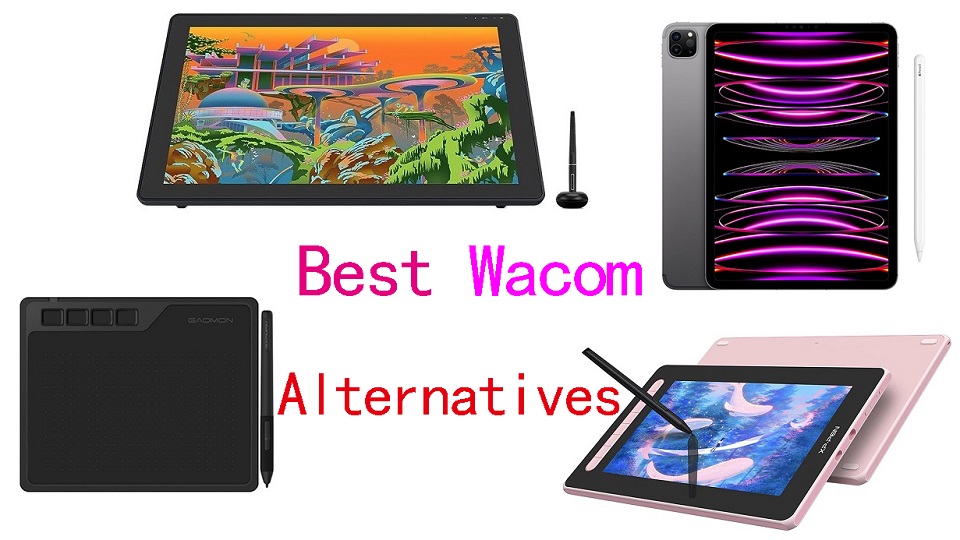
In this list of the best Wacom alternative models you will find on-par performance whether you need Wacom Intuos alternatives, Cintiq alternatives, or the MobileStudio alternatives, you will find it here!
1. Gaomon S620
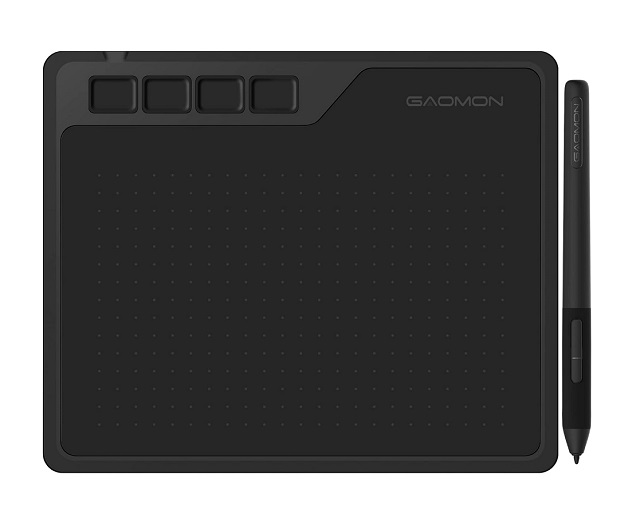
The Gaomon S620 graphics tablet is cheaper than the higher-priced “one by Wacom” tablet. It is the perfect tool for beginner artists who want to produce digital art.
This tablet has a small size of 6.5 x 4-inch working area,which makes it very portable to carry.
It has a 4 user-defined press keys, to make your most-used functions quick to execute.
The pen is battery-free and has 8192 levels of pressure, supports tilt recognition, and two user-defined buttons.
The S620 is compatible with Android, Windows and macOS, so you’re not confined to any one software.
2. XP-Pen Deco 01 V2
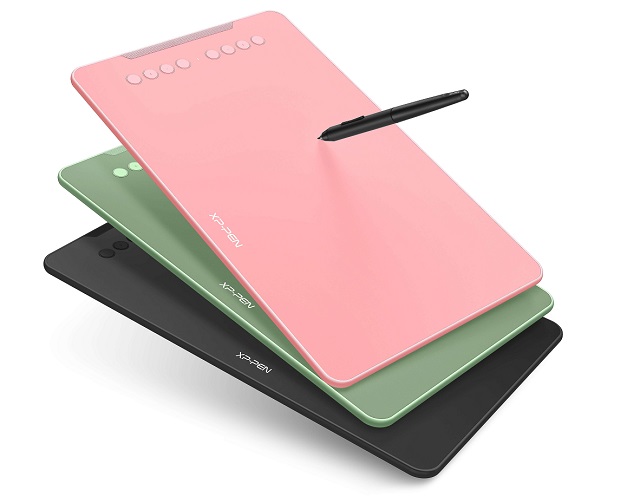
For artists searching for a cheap Wacom Intuos alternative, the XP-Pen Deco 01 V2 is an attractive option.
It is ideal for individuals who want to produce extensive or detailed pictures because it offers a spacious 10×6.25-inch drawing surface. Additionally, it is simple to move around thanks to its lightweight and small size.
It comes with 8 express keys to the side of the tablet that you can personalize with the shortcuts you use frequently (ie. copy, paste, transform, undo, redo, etc.).
The battery-free pen has 8192 levels of pressure sensitivity, tilt response, making it ideal for individuals looking to produce realistic results in their digital artwork.
The XP-Pen Deco 01 V2 is widely compatible with Linux, Windows, Mac, Chrome OS and popular design and drawing programs.
3. XP-Pen Artist 12 (2nd gen)
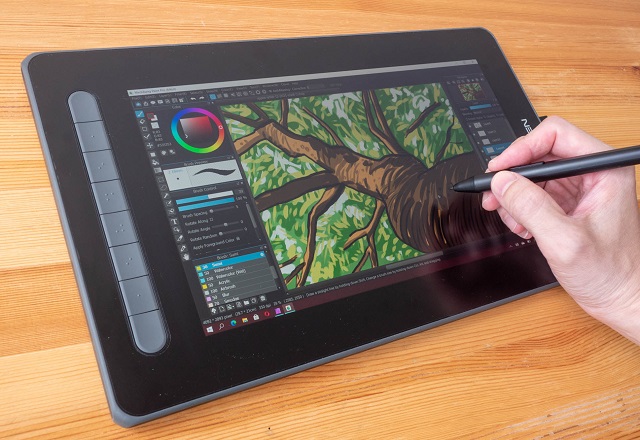
The Artist 12 (2nd gen) is well-liked for its compact size of 11.9 inch, 8 Shortcut Keys and color options of green, blue or pink.
The laminated anti-glare IPS display itself is seriously impressive, with a 1920×1080 resolution, 1000:1 contrast ratio and 127% sRGB color gamut.
Put precision performance at your fingertips with X3 Elite stylus. It is battery-free and comes with low Initial activation force of 3g, 8192 pressure levels and tilt detection.
Aside from your Mac and Windows PC, it is also compatible with Chromebook and Android. But you need to buy the USB-C to USB-C cable separately.
For those who want to carry the tablet around, it is trimmed with rubber coating for protection from drops.
4. Huion Kamvas 13
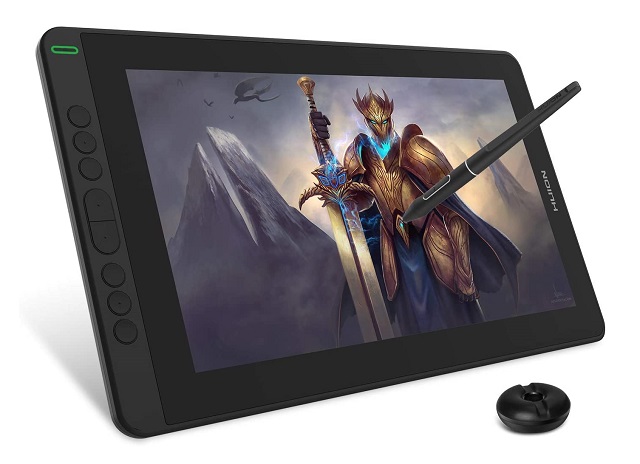
For those looking for a simple and affordable alternative to the Wacom One 13 display, the Huion Kamvas 13 is highly rated amongst artists.
You can often find it for only $200 and at that price this is a fantastic value. It even has 8 extra shortcut keys.
The 1080p FHD resolution is good for its 13.3-inch size. With a contrast ratio of 1000:1 and an sRGB color gamut coverage of 120%, the IPS display is quite outstanding.
A matte screen protector is integrated into the fully laminated screen, helping to offer a natural and paper-like texture when you draw.
The battery-free pen has a rubber grip and is comfortable to use, It has 8192 levels of pressure sensitivity and supports tilt recognition so that you can create quite sophisticated work.
Any artist can use the Huion Kamvas 13 with Windows, Mac OS, and Android. You can easily set up a drawing station anytime using a single USB-C wire to connect to an Android phone.
5. Ugee U1600
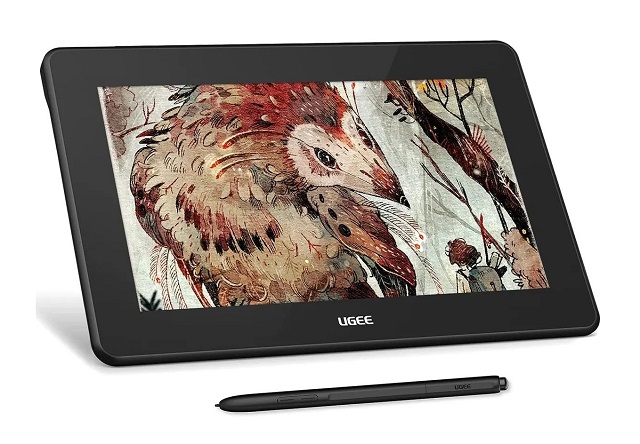
Ugee U1600 is the best budget 15.4-inch pen display out there. This is a great cheap alternative to Wacom Cintiq 16.
It has a concise and sleek design, offering a reasonably sized drawing area. The full HD IPS screen with 127% sRGB color gamut on the Ugee U1600 looks pretty good.
It comes with an anti-glare film on the Laminated display that protects the screen well from scratches. There is very little parallax and just enough friction on the nib for a pencil-like experience.
The stylus is battery-free and has tilt response and 8192 levels of pressure sensitivity, which allows you to take control of the cursor and efficiently and effectively create an eye-popping design.
6. Huion Kamvas Pro 16
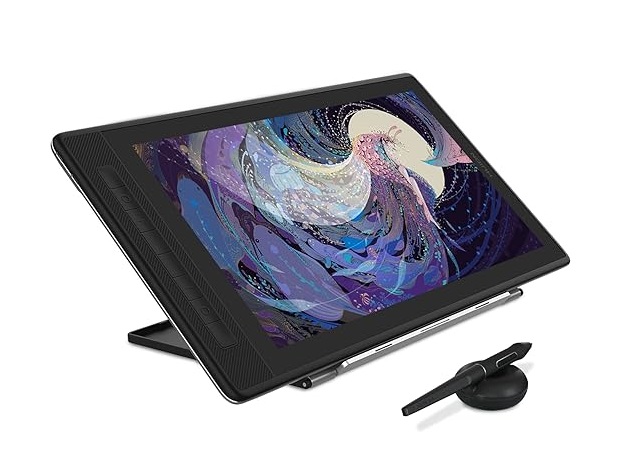
Like the smaller Kamvas 13 this Huion Kamvas Pro 16 has a great 15.6-inch laminated screen at a great price. The surface is made of etched glass instead of matte screen protector.
The biggest upgrade here is the 2.5k (2560 x 1440) QHD display which looks fantastic on this smaller screen.
Its gamut colour reaches 145% sRGB accuracy, making the colour more visible and sharp and enhancing every detail of your work.
The battery-free stylus features PenTech 3.0+ technology, has lower sensor position of 3.5mm, 8192 levels of pressure and ±60° tilt response that offers great precision.
The 15.6inch display is big enough to work smoothly, it has 8 express keys for a seamless drawing experience.
Huion Kamvas Pro 16 is absolutely something to consider if you’re searching for a high-quality Wacom Cintiq 16 alternative.
7. Huion Kamvas 22 Plus
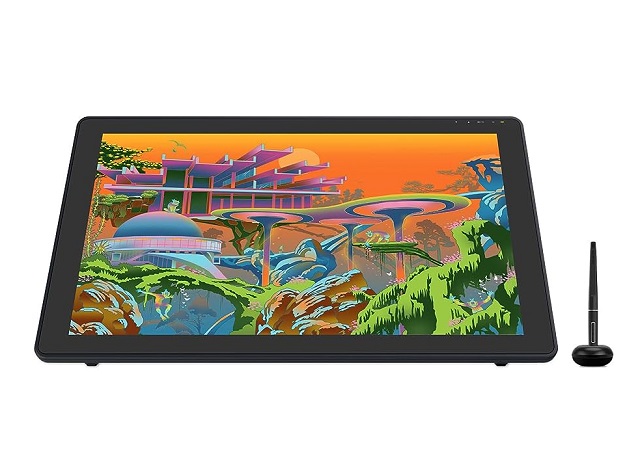
Huion Kamvas 22 Plus is a a worthy alternative to the Wacom Cintiq 22, You get the same 22” screen, as well as a set of other useful features at a much more reasonable price.
The Kamvas 22 Plus features a 1080p QLED display, which offers incredible color accuracy thanks to the 140% sRGB. This is way more than the 96% on the Cintiq 22.
The tablet’s screen is fully laminated to reduce parallax and improve the accuracy. It also uses scratch-resistant etched glass surface to provide you with a more nature drawing experience.
Meanwhile, its battery-free stylus uses advanced PenTech 3.0+ technology boasts 8192 levels of pressure sensitivity, as well as supports 60 degrees of tilt.
Overall, You’ll enjoy the smooth and consistent strokes of the stylus for a pleasant drawing experience. Considering the price of the Kamvas 22 Plus tablet, you won’t find a better bargain on offer.
8. XP-Pen Artist 24 Pro
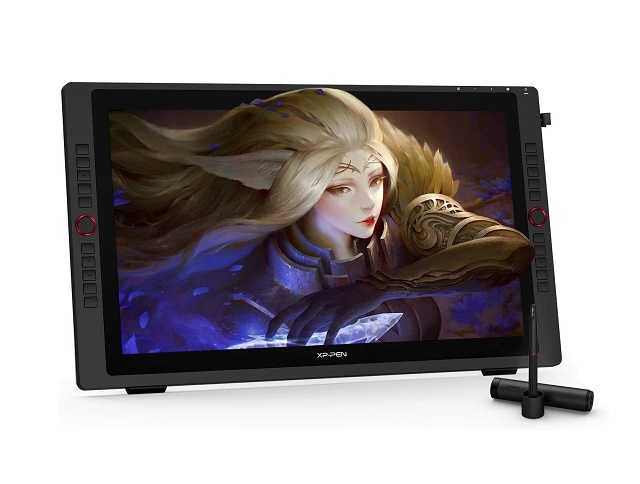
If you’re looking for an alternative to the 24-inch Wacom Cintiq Pro 24, the XP-Pen Artist 24 Pro is worth looking at.
This is an IPS monitor with 2.5K QHD Resolution and 90% Adobe RGB color coverage, meaning it offers rich colors, details and accuracy with various viewing angles.
The matte screen protector reduces the glare. Your screen will continue to look clear and beautiful, even if it’s bright.
The 20 fully customizable keys make your work more effective, and even it can work with both hands. It also has 2 red roller wheels that lets you zoom in and out, scroll through the layers, etc.
The PA2 battery-free pen has 8192 pressure levels and tilt Sensitivity, giving you a smooth and great experience while working on the operation.
Overall, this is a great option for those you enjoy working on large screens for detailed work.
9. Huion Kamvas Pro 24
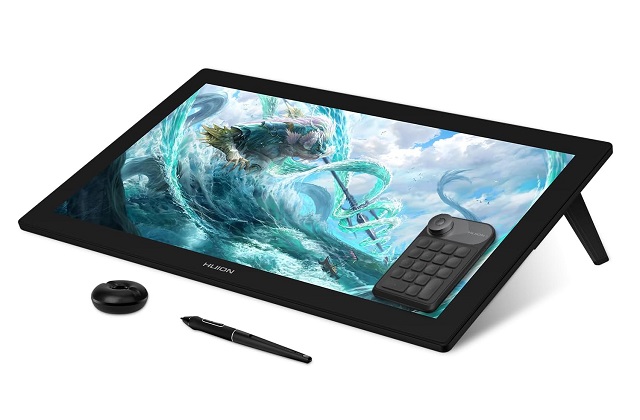
Huion Kamvas Pro 24 is a 23.8-inch pen display with a QLED panel. The 4K UHD high-resolution screen comes with 140% sRGB color space looks great and is suitable for professional artists.
It has a nice texture applied to the surface of the display, minimum screen parallax, thanks to the full lamination technology and etched glass surface.
There are no shortcut or express keys, so it really looks like an extra monitor. But it includes a portable shortcut key remote that has18 buttons and a mechanical dial.
Topping that up is its precision pen that boasts a stellar 8,192 sensitivity level, Tilt detection and PenTech 3.0+ technology.
The performance is just as impressive as what the Wacom Cintiq Pro 24 offers. It is smooth and the feedback is more than satisfying.
10. Apple iPad Pro
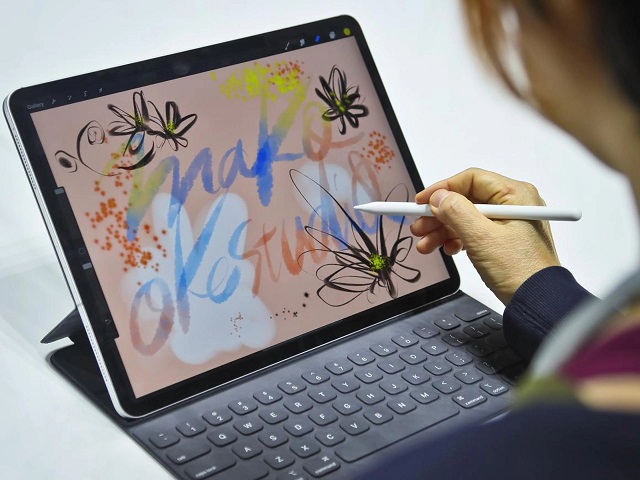
iPad Pro with Apple Pencil provide a portable and high-quality alternative to Wacom MobileStudio Pro, especially for digital artists who are always on the go.
It has a 12.9-inch Liquid Retina XDR screen with a 120 Hz refresh rate, making it a great option for artists who want to create smooth, precise drawings.
Users are promised accurate visual effects thanks to the gamut of 100% DCI-P3 and resolution of 2732 x 2048 pixels, which transports them to the vibrant world beyond the screen.
The Apple pencil (2nd gen), sold separately, has a very good pressure sensitivity, tilt response and there’s no lag – drawing on the laminated screen of iPad Pro is like drawing on paper.
The M2 chip is impressive, super responsive, can handle anything you want to throw at it. you will get up to 10 hours of battery life.
The tablet runs on iPad OS with lots of great drawing apps, such as Procreate, Adobe Fresco, affinity designer and etc.
11. Samsung Galxy Tab S9
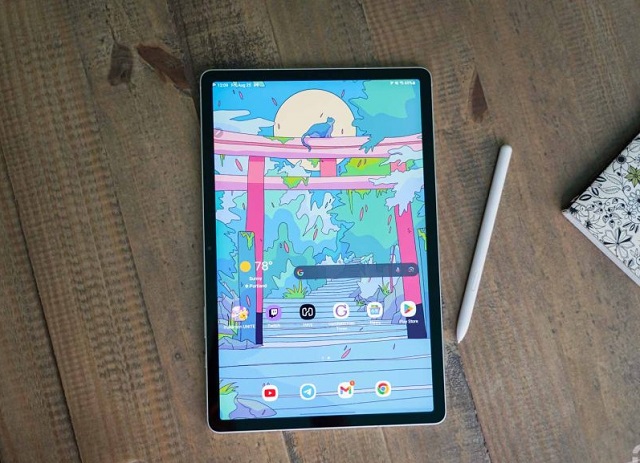
Not exactly a pen display, the Samsung Galaxy Tab S9 is the perfect alternative to the Wacom MobileStudio Pro if you don’t mind it being smaller but something more than a graphic tablet.
Supported by a mighty Snapdragon 8 Gen 2 processor and a powerful battery, you can seamlessly switch between painting and enjoying your favorite pastimes.
It comes with a 11-inch Super AMOLED display with a 2560×1600-pixel resolution, covers 100% DCI-P3 color gamut. Colors is crisp, vivid, sharp and blacks are deeply filled across the screen.
Moreover, it comes with a S Pen allowing for solid palm rejection, 4096 levels of pressure sensitivity, tilt recognition, and lower latency of 2.8ms.
S Pen is great for drawing. It feels smooth and responsive. You’re also treated to a 120Hz refresh rate of screen, which makes everything like sketching feel smoother.
Samsung Galaxy Tab S9 runs on Android OS, and the tablet supports Infinite Painter, Sketchbook, Ibis Paint X, Artflow, PaperColor, and other Android drawing apps.
12. Microsoft Surface pro 9
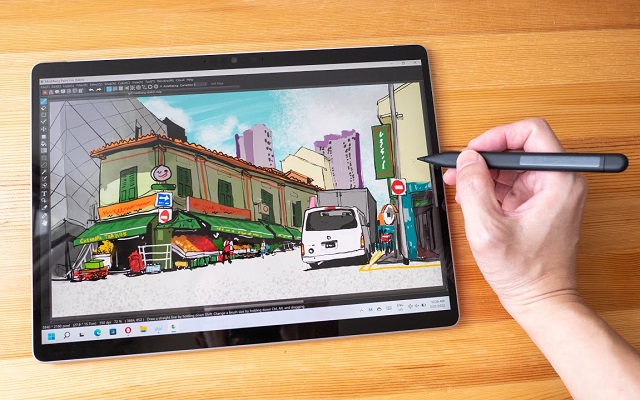
Get the Microsoft surface Pro 9, If you are decided on or tied to the Windows platform and want a top-level standalone art tablet.
It has the 12th-Gen Intel i5 or i7 processor built in that Windows 11 computers have, plenty of memory and SSD storage, and can usually run even the most advanced art software.
Surface Pro 9 have a beautiful 13-inch PixelSense screen you can work directly on, It has 2880 x1920 resolution, covers 106.1% of the sRGB color gamut and even features a 120Hz refresh rate.
The surface slim pen 2 is accurate with 4096 levels of pressure sensitivity, low latency and tilt recognition. Unfortunately, you’ll have to buy it separately.
The battery for this surface Pro 9 tablet ranges from 6 to 8 hours depending on usage. Keep that in mind if you need something that lasts longer.
You can use this tablet and their pen to make art directly on the screen, and the quality will be fabulous. The best of thing, its compact design and lightweight build make it exceptionally easy to carry.
Conclusion
In the end, you’re just trying to reduce cost and get decently cheap products to make simple art, not to pay more to get the most performance tablet for professional drawing.
Wacom alternatives are not equal to wacom, but it’s close. Every year their products get better and bette.
It’s worth looking for good, affordable Wacom alternatives. For the rest of us hobby artists, spending that much is just not in the cards. But it’s perfectly possible to find a suitable alternative without sacrificing quality.
With 10 tablets to choose from, Now you should be able to find the best Wacom alternative without going over budget. We hope you’ll find this list useful!
Having a great pen tablet is always a good investment for an artist. Once you get used to using your device, you’ll never want to use a mouse ever again.