
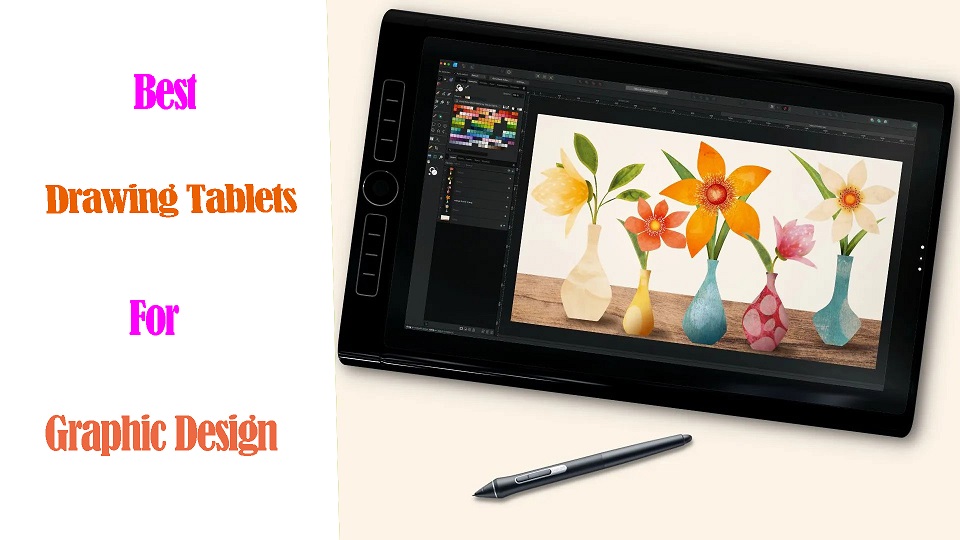
In the world of graphic design, having the right tools can make all the difference.
Drawing tablets with pen are most commonly used by graphic designers for digital illustration, photo editing, animation and more.
These tablets are used with a pressure-sensitive stylus that provides a much more natural and intuitive drawing experience compared to a mouse, allowing for higher precision and control in creative tasks.
Graphic tablets also offer useful features like customizable shortcut buttons and multi-touch gestures, making them an indispensable tool for many digital artists and designers.
As a graphic designer, a reliable and efficient drawing pen tablet is essential to bring your creative visions to life.
However, with so many options available on the market, it can be challenging to determine which tablet is best suited for your design needs.
In this article, we will explore the top 12 drawing tablets for graphic designers today, from all major manufacturers, ensuring you can find the perfect tablet to take your design skills to new heights.
What are the 3 types of drawing tablet for Graphic Design?
There’s three types of drawing tables for designers. There’s the ones you connect to the computer and it doesn’t have a screen , ones you connect to the computer and it does have a screen, and then people will use ipads as drawing tablets.
1. Graphics Tablet without screen
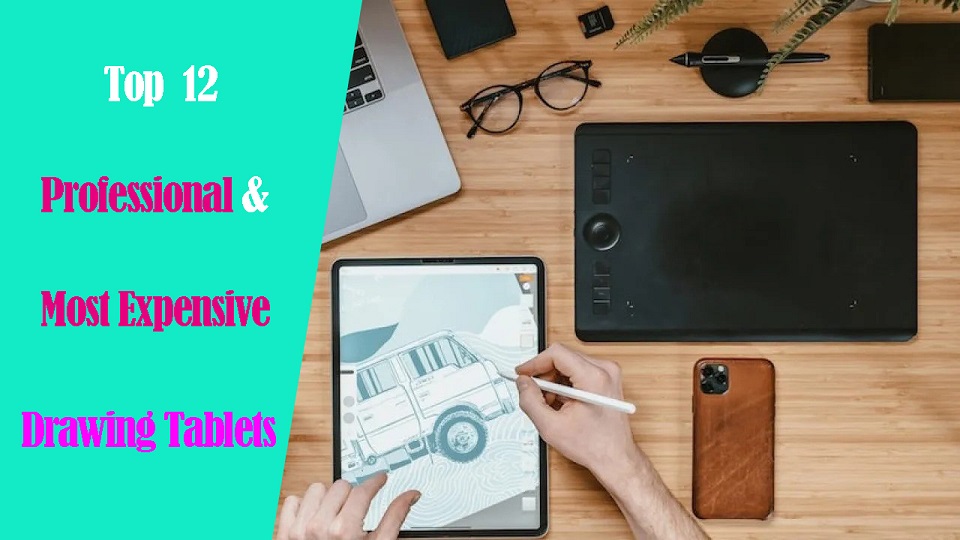
A graphics tablet has a flat plastic surface on which you use the stylus to draw, and the image is displayed on your computer monitor.
While these are the best budget-friendly option, their drawback is the Hand-eye separation between the tablet and the monitor, although many will get used to it very easily.
2. Drawing Tablet with screen
The pen display is a flat-screen monitor that has a pressure-sensitive surface that you can draw on using a stylus.
Unlike graphics tablets, users do not experience Hand-eye separation, but similar to how you would use pen and paper, allowing artists to have a more intuitive and natural drawing experience.
However, There will be more cables between the display and the computer than a graphics tablet, and for some, the pen display will be more expensive.
3. Standalone Drawing Tablet
A Standalone tablet support pen input like the Apple iPad, Microsoft Surface or Samsung Galaxy Tab does things the other two options do not.
With a Standalone tablet, you do not need to connect to an external monitor or use another computer, giving you more freedom and flexibility as a pen tablet for graphic design.
They are usually the most expensive, but very slim and portable with decent battery life, great for drawing on the go or in different areas of their house without needing to be plugged in.
One disadvantage that a standalone tablet has is that you are more limited on the graphic desig software. Not every desktop program has an iPad OS or Android version, especially the “industry standards”.
Top 12 Pen Tablets for Graphic Design in 2024
Although everyone has different needs, these are the best drawing tablet for graphic design in 2024.
We selected these devices for their accurate styluses, excellent displays, and strong performance.
They give artists and designers the tech they need for their creative work.
1. Wacom Intuos
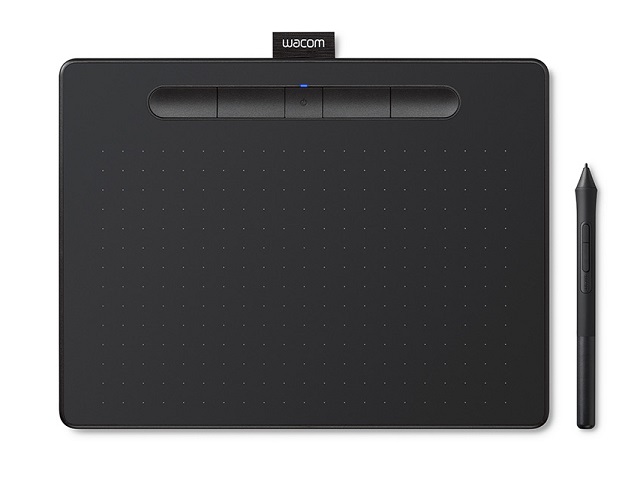
The Wacom Intuos line is a safe bet and the brand is well known and respected industry wide.
The Intuos has a sturdy build quality for long term use. Textured surface provides a natural feel when drawing, while 4 programmable express keys allow for easy access to frequently used functions.
Intuos comes in 2 different sizes: 6.0 x 3.7 inches and 8.5 x 5.3 inches active area, so you can go with the one that best fits your workspace.
Those who like their workspace to be cable-free will be happy to learn that this tablet also supports optional wireless Bluetooth connection.
The stylus, is battery-free, supports 4,096 levels of pressure sensitivity, no lag, capturing even the most subtle nuances of pressure. It’s a delight for sketching and painting digitally.
Wacom Intuos supports Windows, MAC OS, Chrome OS, Android, and is compatible with Photoshop, Illustrator, Affinity Designer, Inkscape, Gimp and many more.
Wacom intuos is awesome for drawing on and getting a natural feeling. Its overall size, sleek design and slim profile makes it portable and aesthetically pleasing.
Most pros are using Wacom Intuos Pro with more size plans, higher 8192 levels, tilt response, multi-touch and more. But they’re pretty expensive for a non-screen tablet.
2. XPPen Deco 01 V2
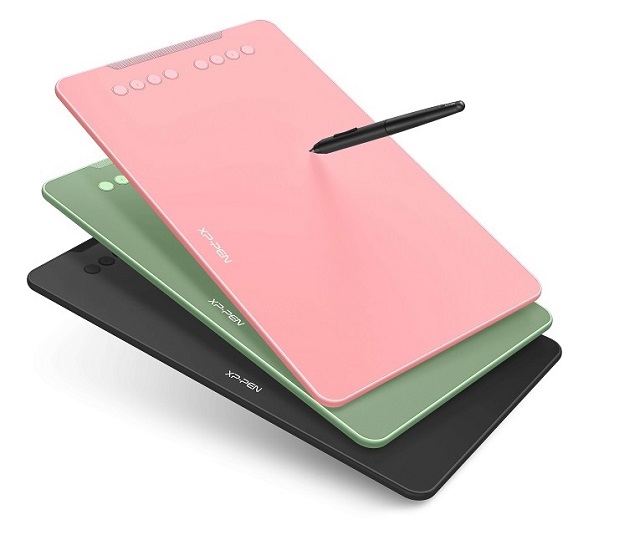
If you’re new to the field and the work, we would recommend a cheap XPPen Deco 01 V2 tablet.
Deco 01 v2 is light weight, slim yet sturdy, with a clean simple design. You can choose from 3 colors: Black, Green and pink.
The tablet has a drawing area of 10 x 6.25 inches that is large enough to comfortably draw on.
Handling this tablet feels intuitive; 8 shortcut buttons on the tablet expedite the creative workflow, enhancing our productivity.
The pen is very nice and battery free, features 8,192 levels of pressure sensitivity and tilt support, giving you the most accurate and realistic drawing feel.
Deco 01 V2 is compatible with Windows, macOS, and Chromebook, and can connect to your Android device via USB-C.
3. Huion HS64
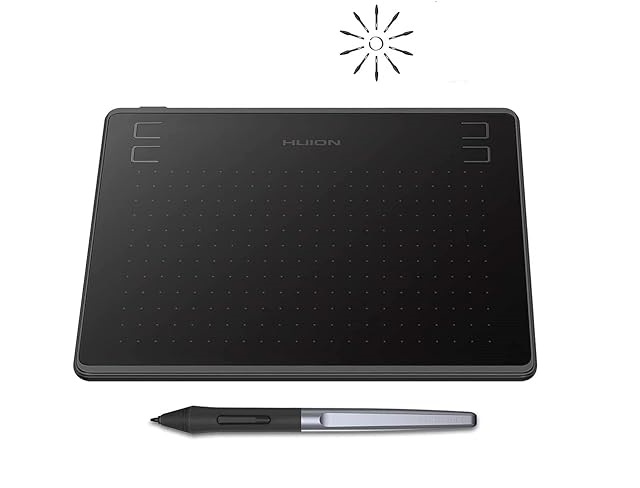
Huion HS64 is an affordable, small yet amazing graphics pad for beginners who’re into drawing, animation, photo-editing or any other design work.
It comes with a working surface area of 6.3×4-inch, offering perfect creative space for limited desktop areas.
The PW100 battery-free stylus is very responsive and has 8192 levels of pressure sensitivity, making it great for precise drawing or writing.
The tablet is a very smooth, yet textured surface with which your hand can glide across with ease.
The 4 buttons on the tablet are easy to click in but offer enough resistance to where you know you clicked it.
HS64 tablet works well with Windows, MacOS and Linux computer. It’s special feature is that it works on Android tablets and smartphones via included OTG adapter!
It is perfect not only for taking notes, jotting down ideas and signing off documents, but will also do the job for light drawing and illustration.
4. XPPen Artist 12 (2nd Gen)
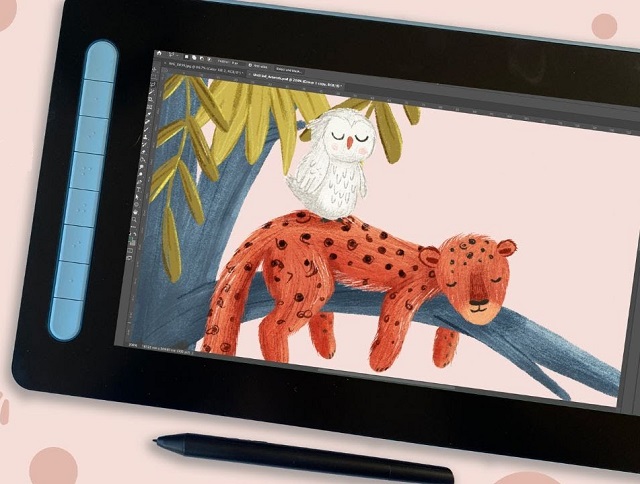
XPPen offers an entry-level Artist 12 (2nd Gen) with a 11.9-inch screen for artists exploring graphic design without breaking the bank.
The IPS display with Full HD 1080p resolution and 127% sRGB Color Gamut will present vivid images, vibrant colors and sharp detail of your artwork.
The screen is fully laminated, meaning that there is no air gap between the glass and the LCD, almost no parallax when drawing. Plus, The display has a nice matte finish so there’s no glare and the pen doesn’t slip.
Holding the stylus, we could feel the accuracy and responsiveness thanks to the X3 chip technology. Applying just a hint of pressure was enough to see our strokes come to life.
Customers like the wide color selection of Artist 12, which is available in 4 plans: Black, blue, green, and pink. Plus, It includes 8 buttons to assign shortcuts.
With its charming design, portability, and excellent X3 Elite stylus, Artist 12 (2nd Gen) is perfect for drawing, sketching, and developing design.
5. Wacom Cintiq 16
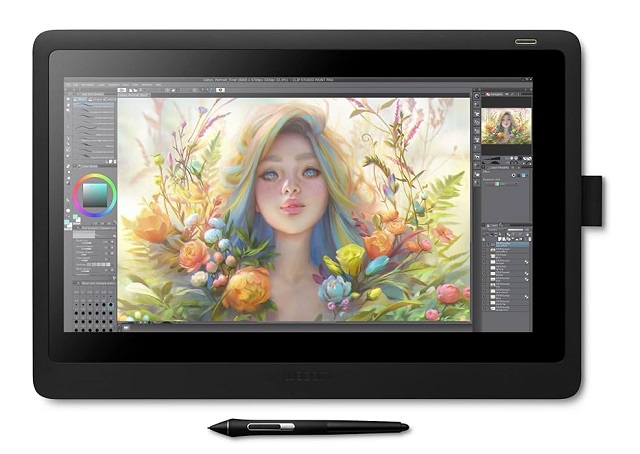
Wacom Cintiq Pros are good but expensive. If you want an affordable wacom tablet with a screen, we’d recommend starting off with this Cintiq 16.
It has a 15.6-inch IPS display with a resolution of 1920 x 1080, and a 72% NTSC / 96% sRGB color gamut, which is big and clear enough but may not be sufficient for designers who require more vibrant colors.
The tablet also features an anti-glare film with slight texture, which helps Increase friction, reduce reflections and eye strain.
It comes with the universally loved Wacom Pro Pen 2, which is the same one that comes with the Cintiq Pro 16 and features 8,192 levels of pressure sensitivity and tilt support.
It doesn’t have any buttons on the display itself, but you can use the keyboard shortcuts or buy a wacom Wireless ExpressKey remote separately.
Wacom Cintiq 16 is a great display for graphic designers on an average budget. But if you need a larger canvas, get the Cintiq 22 with higher price tag.
6. Huion Kamvas Pro 16
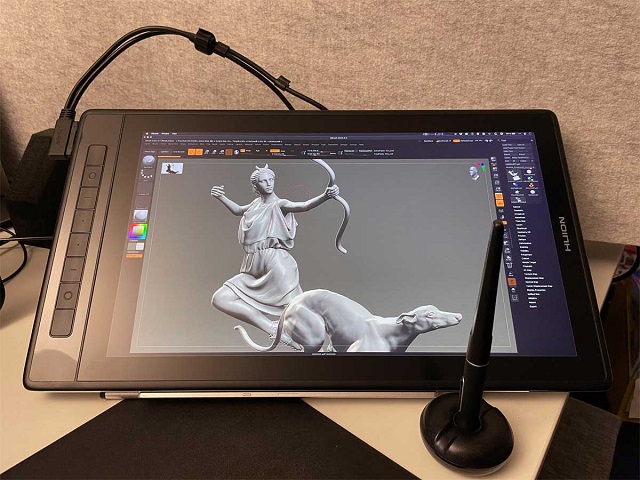
Huion Kamvas Pro 16 is a great choice for any graphic designer who wants to take their skills to the next level.
Kamvas Pro 16 has a 15.8-inch QLED display, full lamination, and an Anti-Glare etched glass surface.
The 2.5K resolution provides excellent detail and clarity, whereas the 99% Adobe RGB of color accuracy is high enough for professional results.
Kamvas Pro 16 looks premium, well build with 8 press keys, a textured aluminum back and include a handy stand.
PW517 battery-free stylus supports ±60° Tilt function and 8192 levels of pressure sensitivity, making it incredibly responsive and accurate.
With Pen Tech 3.0 technology, this pen provides better stability and precision via a lower positioned pen nib, making it perfect for digital painting.
7. XPPen Artist 24 Pro
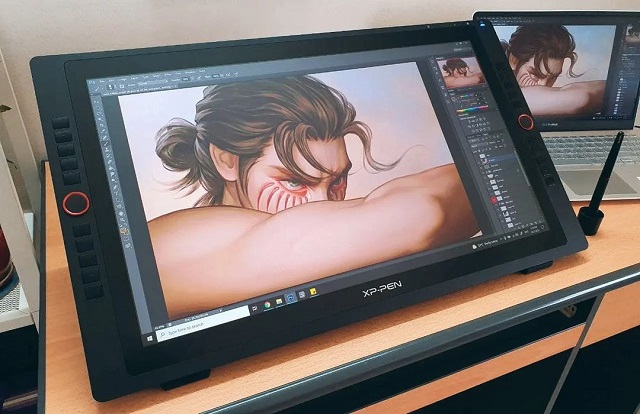
XPPen Artist 24 Pro offers a balance of performance and affordability, making it suitable for designers looking for a budget-friendly option without sacrificing quality.
The 23.8-inch screen size is large enough for detailed work, while 2.5k resolution and 90% Adobe RGB color gamut ensures the clarity, accuracy and precision.
One notable feature of the Artist 24 Pro is the total 20 dedicated function buttons and 2 red roller wheels that are all assignable for shortcuts in different graphic design apps.
The display can be easily adjusted for different working angles from 16 degrees to 90 degrees by the included tablet stand.
The lightweight PA2 battery-less pen is a pleasure to hold because of the rubber grip, It has 8,192 pressure levels, supports tilt recognition and includes 8 replacement nibs.
Its Paper-Like Protective Film provides a soft, papery feel when you’re writing or drawing.
Additionally, the included black two-finger Artist Glove helps reduce friction between your hand and the screen, resulting in smoother and more natural strokes.
8. Huion Kamvas Pro 24
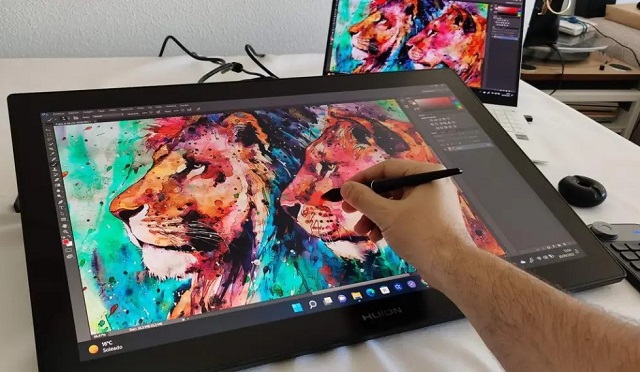
Huion Kamvas Pro 24 is the perfect tool for digital illustrators, animators and any designer who wants to create digital art.
It has a huge 23.8-inch QLED screen with 4K high-resolution, 140% sRGB wider gamut and HDR technology for immersive drawing experience.
An anti-glare etched glass surface and fully-laminated display reduces reflections, parallax and contributes to the comfortable drawing experience.
The PW517 pen is great, very close to the Wacom pro pen now, ensuring incredibly accurate lines, no creaking or pressure issues whatsoever.
Kamvas Pro 24 Lack of shortcut buttons but includes a mini keydial, which is a wireless express key remote with 18 buttons and a mechanical dial that can streamline workflow.
The tablet is equipped with a 20° metal integrated stand for drawing assistance. Meanwhile, it has a 100 x 100mm vesa hole on the back for monitor arm.
With the Huion Kamvas Pro 24, a graphic designer can take their creative ideas and bring them to life with accuracy and precision.
9. Wacom Cintiq Pro 24
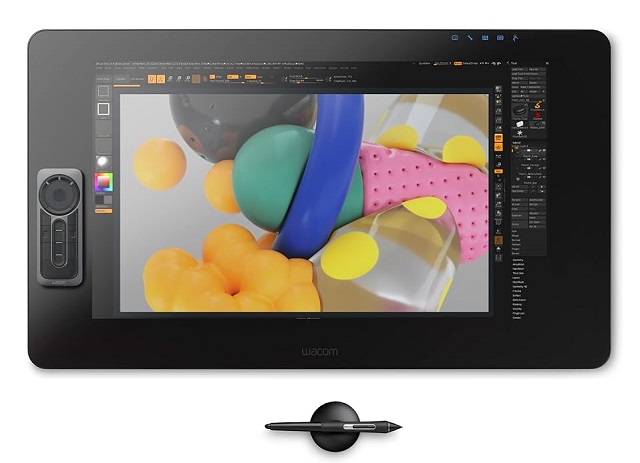
Wacom Cintiq Pro 24 would be a solid choice for artists working in photography, animation, 3d sculpting, or Video VFX.
The visual quality of this 23.8-inch laminated display is a sheer joy for the eyes, colors are pop with clarity. It features an IPS panel with 4K (3840 x 2160 pixels) resolution and a superb color accuracy of 99% Adobe RGB.
The Wacom Pro Pen 2 glides across the etched glass surface with such natural movement that it makes transitioning from paper to digital almost seamless.
The 8192 levels of pressure sensitivity, low initial activation force and tilt response are spot-on, allowing us to execute the most nuanced of brush strokes.
Wacom includes a wireless ExpressKey Remote that provides17 customizable buttons and Touch Ring. You can place remote anywhere it’s convenient while drawing.
The Cintiq Pro 24 has two built-in fold-out legs for drawing. An optional adjustable stand or arm is available, but sold separately.
Cintiq Pro 24 is Wacom’s high-end display tablet with a level up from the standard Cintiq in terms of hardware and display specs, so it is a premium choice for serious designers who need the best performance.
10 . iPad Pro
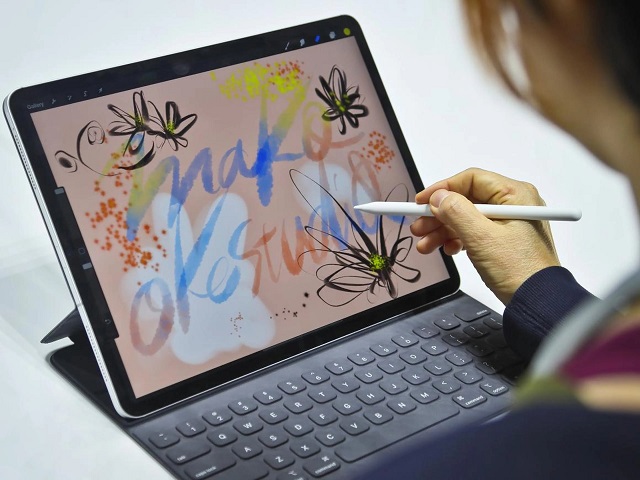
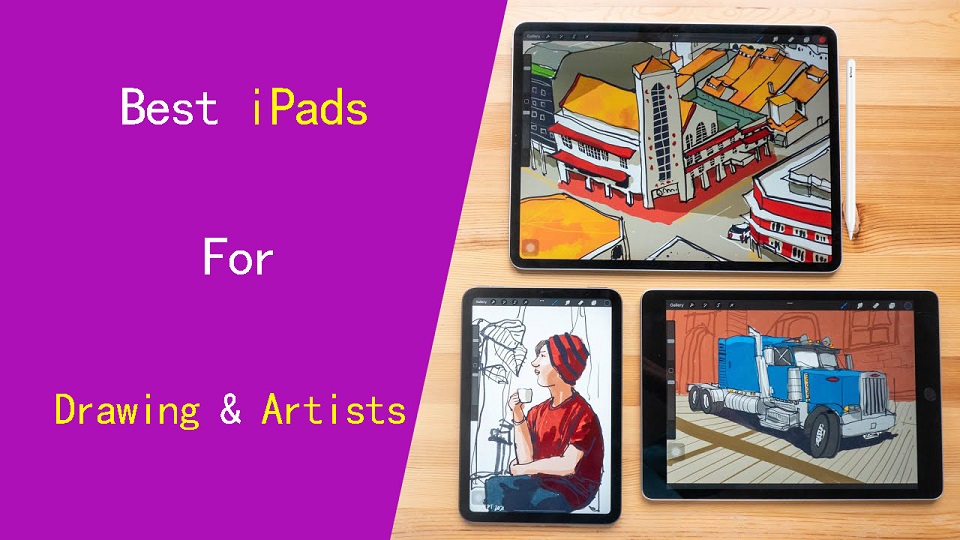
For those seeking a portable drawing tablet and appreciate the Apple ecosystem’s reliability, the Apple iPad Pro 12.9-inch is a top contender.
Paired with the Apple Pencil and magic keyboard, this tablet offers an immersive designing experience with its stunning Liquid Retina XDR display and powerful processing capabilities of M2 chip.
Apple pencil (2nd Gen)‘s precision and pressure sensitivity are remarkable, allows you to draw intricate illustrations, and fine-tune designs, making it a true asset for our creative projects.
IPad OS offers various exclusive graphic design apps like procreate and affinity designer, making it a versatile choice for creative professionals on the go.
It’s self contained, offer up to 10 hours of battery life, plus you can get your email, chat, listen to music, watch movies, and do all kinds of things with it.
Unfortunately, all accessories are sold separately. Plus, If iPad pro is too expensive, you could always go with a cheaper iPad and still get the pencil and procreate.
11. Surface Pro 9
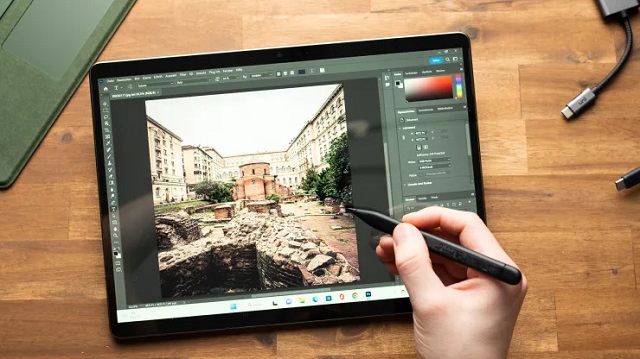
Designers on the go or anyone looking for a do-all option with excellent performance and compatibility with most windows 11 apps will appreciate Microsoft’s Surface Pro 9.
The tablet is compact but tough with a premium aluminum chassis, a well-implemented kickstand, and compatible with its excellent type cover keyboard.
It has a 13.3-inch PixelSense Flow display with 2880 x 1920-pixel resolution, and 106.1% of the sRGB color coverage for vibrant colors and sharp details.
With its 120Hz responsive touch screen and compatibility with the Surface Slim Pen 2 that features 4,096 pressure levels and tilt detection, it offers a natural and fluid drawing experience.
The Surface Pro 9 can handle graphic design and other tasks easily with Intel’s Core i7-1255U and 16GB of RAM. Its 256GB of SSD storage is enough for most image and video libraries.
However, a notable consideration is the reliance on dongles for additional peripherals and a battery life that falls short of an entire workday.
Surface Pro 9’s versatility and powerful hardware make it an excellent choice for designers who require a device for both work and creativity.
12. Samsung Galaxy Tab S9
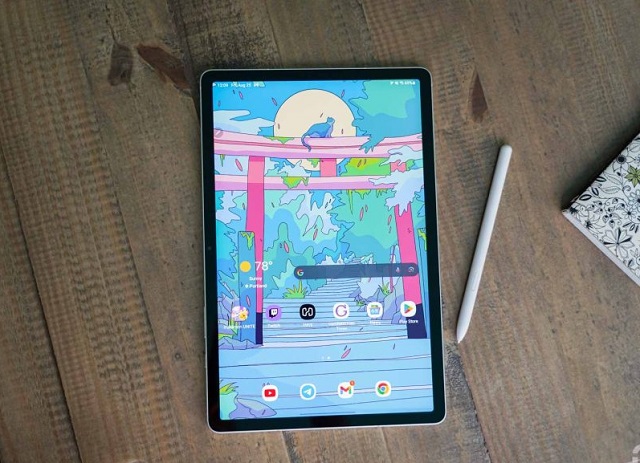
Samsung Galaxy Tab S9 impresses with its sleek design, powerful performance, and vibrant display.
Sporting the powerful Snapdragon 8 Gen 2 processor, it delivers fast and efficient processing. This is suitable for a wide range of tasks, from productivity to creative endeavors.
The 11-inch Super AMOLED display with 2560 x 1600-pixel resolution and 100% DCI-P3 color space offers crisp visuals and accurate colors.
The inclusion of S Pen support and the Book Cover Keyboard enhances its versatility for creative professionals and students alike.
With 4096 pressure levels, tilt recognition and an impressive 2.8ms response time, The included S pen is accurate and sensitivity.
Galaxy Tab S9’s lightweight design and impressive battery life of about 10 hours further contribute to its portability.
While there are many graphic design apps available on Android platform, they may not be as feature-rich or widely used as iPad OS and Windows 11.
What are the best graphic design applications?
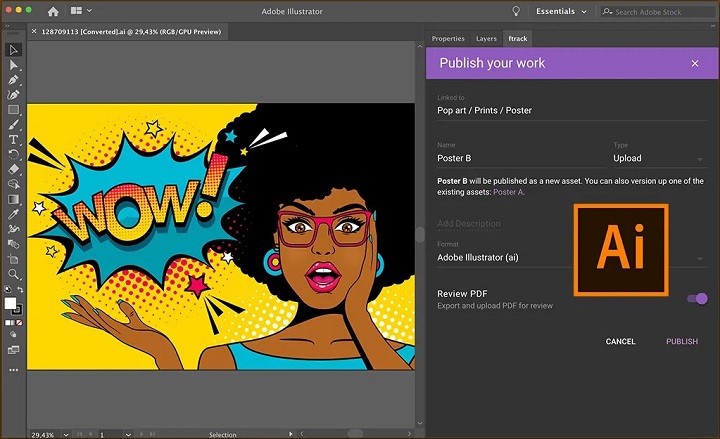
Most professional graphic designers use Adobe Photoshop, Illustrator and Indesign.
Others may also use Corel Draw, Affinity Designer, Inkscape, GIMP, Figma, Sketch, etc.
The best graphic design software depends on what you’re doing/want to do.
For example, UX Designer/Developer, exclusively use Illustrator CC and Figma in tandem when designing.
Is a drawing tablet mandatory for graphic design?
graphic design is a broad niche with a lot of various fields of study including UI/UX design, App Design, Illustration etc.
Not every designer needs a graphics tablet, which is definitely an option, not a necessity.
You can learn graphic design without a tablet. Many people start their journey using just a computer and mouse.
However, a pen tablet offers much more precision and control than a mouse, ideal for intricate designs. Plus, design tablets are enjoyable to use!
How to choose the best drawing tablet for graphic design?
When selecting the best drawing tablet for graphic design, it’s crucial to consider factors such as types, pressure sensitivity, size, resolution, and compatibility with your device and design software.
More pressure levels ensure a more accurate representation of pen strokes, while tablet size can greatly affect the overall drawing experience.
Some prefer a compact tablet for convenience, while others need a larger workspace for intricate projects.
Last but definitely not least, the price or cost of a tablet is the most important factor to consider before you plan on buying a tablet.
Conclusion
Graphic Tablets have revolutionized the design industry by providing a natural and intuitive way for designers to create and refine their work.
Whether it’s sketching out initial ideas or putting the finishing touches on a masterpiece, Graphic Tablets is a versatile and powerful tool for design.
In our list you will find something for everyone, whether you’re a beginner or a professional graphic designer.
If you want to purchase a workhorse device for your studio, choose the pen display with a larger screen and higher resolution.
Having always been on a business trip, standalone tablet like ipad pro or surface pro is the best travel companion.
If you are inexperienced with digital input devices, grab XPPen Deco 01 V2 or Wacom Intuos to start your inspirational journey!
Embark on your creative journey with confidence, armed with the perfect drawing tablet that suits your artistic needs and preferences.



I love the iPad Air 5 with apple pencil 2 for procreate, affinity designer and Vectornator.
Vector programs don’t need a tablet like drawing art does.
What kind of pen tablet would you recommend then?
I’ve been interested in a tablet because I like the idea of using a stylus to draw and be more hand on.
But I think I just don’t know enough about what my options are. I’m not looking to make a big career out of graphic design but I’d like to be able to do high quality work when I want.
XPPen Deco 01 V2 or wacom intuos for what you want probably! have a try, If you don’t like it, just return it.