If you want a lightweight tablet that you can take with you and draw anywhere, then a standalone drawing tablet will be your best choice.
Normal tablet was barely useful for more than browsing the internet, watching videos, reading books, and playing games. But over the years, some tablets has evolved as they now supports input from keyboards and styluses, the range of its applications has increased.
With a keyboard, your tablet imitates a laptop, giving you the freedom to complete a couple of tasks you would do on your PC. And with a stylus, you could take down notes, sign important documents, edit photos, draw, etc.
It’s probably no surprise that Apple, with its iPad range, is the market leader. But there are also Windows tablets such as Microsoft’s surface pro, as well as those that use different versions of Android from Samsung, Lenovo, Xiaomi and more.
These tablets are designed to be lightweight and portable, making them convenient for artists who need to work on the go. But with so many tablet models available on the market, Which One to get? What factors to consider before buying? Luckily, this guide is going to help you.
Standalone drawing tablet vs Traditional drawing tablet
Traditional drawing tablets comes with or without display (like wacom intuos or wacom cintiq), require a connection to a computer to function.
Standalone drawing Tablets, on the other hand, are self-sufficient and can function independently without the need of connecting to a computer, making it an independent and portable device.
Traditional drawing tablet connect to your laptop or PC to work, so you will essentially be using the Full-featured desktop version (Windows, and Mac OS) of the art software such as Photoshop, Illustrator, Indesign, etc.
While this setup might be less convenient for on-the-go creation, it typically offers access to more powerful and diverse software options, higher precision, and more detailed customization of the drawing experience.
Standalone drawing tablet is a mobile device, so you would be able to use various apps which have been specifically adapted to deliver smooth mobile drawing experience. The three main mobile OS are Android, iPadOS and Windows.
You don’t have to use your standalone tablet only for drawing. It will come in useful in other life scenarios, such as checking emails, sharing images on social networks, watching videos and lots more! With traditional graphic tablet, you will not be able to use it for anything else other than drawing and writing.
12 Best portable standalone drawing tablets in 2024
The best standalone drawing tablet needs to be lightweight, fast, and with a quality display. It also needs decent battery life and has a good stylus, to work well for productivity work, like writing, photo editing, sketching, note taking, painting and more.
These are our top 12 recommendations for anyone looking to draw digitally when it’s not possible to be tethered to a computer:
1. iPad Pro 12.9
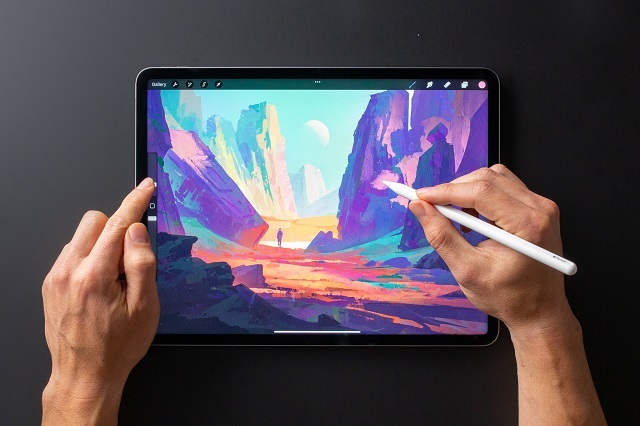
The 12.9” iPad Pro 2022 has a very crisp resolution of 2732×2048, and an aspect ratio of 4:3 – great for portrait-oriented work. the unbelievable 264 PPI allows you to work on and clearly see the tiniest of details.
The Liquid Retina XDR display offers incredible color accuracy of 100% DCI-P3, 1600 nits of peak brightness and shows off HDR images and video easily. So you’re getting the richest blacks and most vibrant colors.
The screen feels fast and fluid, not least because of the device’s 120 Hz refresh rate, ideal for drawing responsiveness with the Apple Pencil. The strokes are much more immediate with zero lag.
The M2 chip in the iPad Pro is very fast, and there’s up to 16GB RAM too. Everything responds quickly that you’ll notice if you’re editing videos, or running multiple complex apps at the same time.
Adobe Fresco, Procreate, and a multitude of other really great and exclusive iPadOS art apps make drawing on the iPad a breeze. Procreate is definitely more for illustration that imitates more traditional paint/pencil styles.
The Apple Pencil 2nd Gen , although a separate purchase, is 100% worth the cost. It’s a brilliant piece of hardware, and is so much more sensitive and capable than a regular stylus. It supports pressure sensitivity, tilt angle, and has a very nice overall weight to it.
The pencil attaches to the iPad with a cool magnetic click for charging and portability, and can pairs with the tablet automatically.
Another super-slick accessory is the Magic Keyboard (buy separately), it protects the Apple iPad, and acts as a perfect stand and a nice keyboard.
Apple assures that full single charge will last about 10 hours for average use. However, when you draw on an iPad, it will use more resources and power, so it will last a little less (about 6-7 hours), but still enough to finish a drawing.
The iPad Pro’s 12.9-inch display is a great canvas size for your art, whether you’re sketching, painting, or editing photos/videos — that still lets you be mobile.
If you want the portability and less strain on your hands, get the 11-inch iPad Pro which weighs 466g but that model doesn’t come with the mini LED display, it equipped with a standard LCD panel.
2. iPad Air (5th Gen)
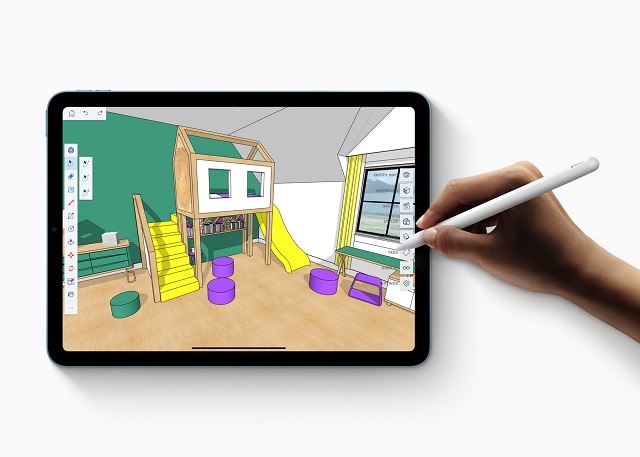
The iPad Air (5th Generation) uses a 10.9-inch, 2360×1640-pixel, 264ppi Liquid Retina display with 500 nits of brightness, offering more similarities to the iPad Pro 11″ than ever.
You get a Liquid Retina panel without XDR (mini-LED) technology but with many other good features that you would expect, like TrueTone and P3 wide color gamut. The iPad Air 5 looks fantastic, with very accurate colors, great brightness, and good sharpness.
The screen runs at 60Hz, no HDR, so scrolling isn’t as buttery-smooth as it is on the 11″ iPad Pro’s 120Hz panel.
M1 chip and 8GB RAM makes the iPad Air 5 extremely fast, it absolutely delivers the power you need to get work done like a professional.
When paired with the Apple Pencil (2nd Gen), iPad air 5 can unleash your creativity and help you design your next masterpiece. The well-designed Magic Keyboard also works with this air 5 tablet.
The M1 isn’t only powerful, though – it’s also efficient, so battery life via a 28.6WH lithium-polymer battery remains around 9-10 hours of constant use despite the performance upgrades.
iPad Air (5th Generation) does practically everything you’ll need from an iPad, and the M1 chip will continue to deliver high performance for some time to come.
3. Samsung Galaxy Tab S9 Ultra
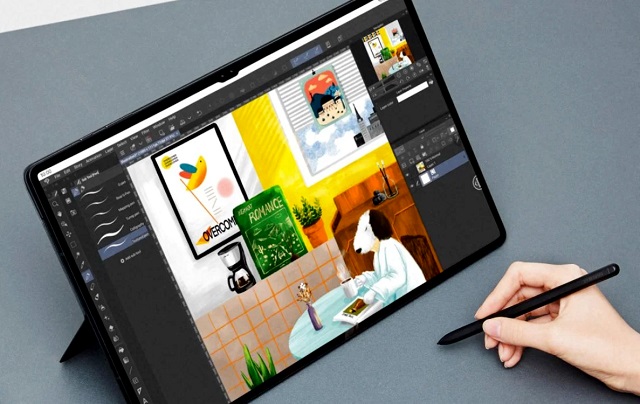
Samsung Galaxy Tab S9 Ultra is the biggest and most expensive in the S9 series, The standard Galaxy Tab S9 has an 11-inch display, whereas the Galaxy Tab S9+ Plus‘ screen is 12.4 inches.
The 14.6-inch Super AMOLED screen has a resolution of 2960 x 1848-pixel and 99.4% DCI-P3 color gamut. It’ll be a pleasure to use whether you’re editing photos, drawing or watching a movie.
The Tab S9 Ultra’s 16:10 aspect ratio is noticeably wider compared to the 12.9-inch iPad Pro, providing more surface area for drawing. The display also offer up to 1,750nits of peak brightness and support for HDR.
Galaxy Tab S9 Ultra is powered by the newest Snapdragon 8 Gen 2 chipset – an octa-core 4nm CPU coupled with an Adreno 730 GPU. Plus, It has up to 16GB of memory and up to 512GB of storage with MicroSD card support.
These tech specs certainly give the slate enough power to run and navigate through demanding apps seamlessly.
The included S Pen supports up to 4,096 levels of pressure sensitivity, tilt recognition and 2.8ms low latency. Combined with the screen’s 120hz refresh rate, using the S Pen to draw on the S9 ultra’s display feels natural, intuitive and smooth.
Samsung’s One UI based on Android 13 is well optimized for the tablet and that makes an immense contribution to the user experience. Other features like Multi-Active Window elevate the multi-tasking experience on this tablet.
The Galaxy Tab S9 Ultra comes with a large 11,200mAh battery with support for 45W fast charging. You will able to get at least 8 hours of battery life with normal use and auto-brightness.
With Samsung’s AMOLED screen technology, big screen size, as well as an S Pen in the box and lots of software, The Galaxy Tab S9 Ultra is arguably the best Android tablet for drawing.
4. Surface Pro 9
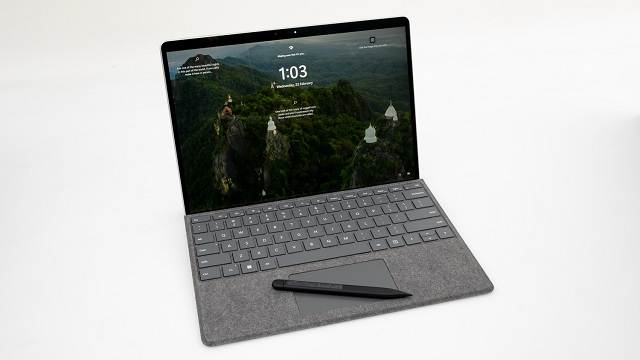
Surface Pro 9 is the latest laptop and tablet 2-in-1 hybrid from Microsoft that featuring Windows 11. The best thing is it supports inking with a Surface Slim Pen 2 .
Surface Pro 9 comes with a 12th Gen Intel Core i5 or i7 processor, 8GB/16GB/32GB of RAM, offering some serious heft for running heavy-duty projects. It also has a removable, SSD drive for lightning-fast loading and storage, in options ranging from 128GB to 1TB.
With a 13-inch PixelSense Flow touchscreen display that supports 106% sRGB color gamut and a Resolution of 2880 x 1920 pixels, All visuals look sharp, vivid and accurate. The refresh rate is high at a maximum of 120hz for crystal clear and smooth performance.
The Slim Pen 2 has drawing performance almost on par with the Apple Pencil and Samsung S Pen. The pen supports palm rejection, tilt and up to 4096 levels of pressure sensitivity. very responsive and functional. It charges in the optional surface keyboard slot.
It replicates a pen-to-paper feel thanks to the haptic motors inside the pen, allowing you to draw, edit photos, annotate documents, and bring out your inner creativity on the screen.
The tablet’s metal frame feels well built and offers next to no flex when pressed. A kickstand at the back allows it to stand freely without the keyboard as well as hiding the removable panel for changing out the absolutely tiny solid-state drive.
Both keyboard and the unit itself are available in a variety of different colors if you want to personalize your Surface device. The keyboard and Surface Pen 2 are both optional extras that will take the total price of the unit above $1,500.
Unlike its competitors such as iPad Pro and Samsung Galaxy tablets – Since it is Windows-powered, it can run all your industry-standard drawing and animation apps.
This tablet comes with a 47.7Wh battery capacity, Battery life remains at about 6 to 8 hours of constant work, which should last the working day but not much more.
The Surface Pro 9 is a great tablet recommend to professional artists, especially to artists who demand a high level of accuracy for their line art.
5. Wacom MobileStudio Pro 16
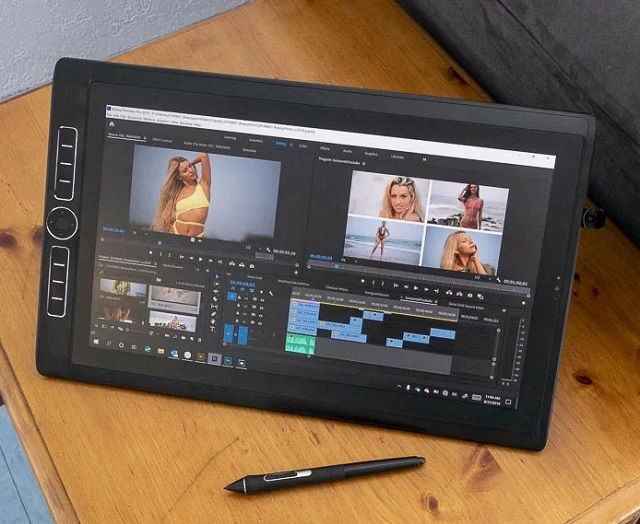
Wacom tablets are renowned for their realistic and precise drawing experience. To let you know, This brand has been specialising in graphics tablets for artists for many years.
Mobile studio Pro is different from other Wacom cintiq (require a laptop or PC) tablets and is extremely similar to iPad Pro since it has a built-in computer, making it is a standalone tablet.
Think of the Wacom mobile Studio Pro as a larger iPad as it has 13 inch and 16 inch options. The difference is it runs on windows OS, which allows for a limitless number of desktop apps compared to an iPad or a galaxy tablet.
The MobileStudio Pro 16 has a 15.6-inch IPS display with 4K UHD (3840 x 2160 pixels) resolution and covers 85% of the Adobe RGB color gamut. The image is sharp, colors are vivid, and saturated colors really pop.
Mobile studio Pro 16 is equipped with an Intel Core i7- 8559U CPU, a Nvidia Quadro P1000 graphics card, 16Gb of RAM, and 512Gb SSD, so it’s a fairly capable device.
The included Wacom Pro Pen 2 is battery-free, no need to charge, has 8,192 levels of pressure sensitivity, tilt-response and lag-free tracking. possibly the best digital stylus available in the world today.
The anti-glare etched glass surface provides the perfect amount of resistance to simulate a pen and paper feel. It also supports multi-touch gestures for zooming and rotating your creations.
There are total eight customizable ExpressKeys, and a touch ring on tablet to speed up your workflow.
This device does not have very long battery life. It is listed as up to 6 hours on the Wacom site. In fact, you can get 4 hours if you draw continuously.
If you’re a professional artist who wants both the wacom pen experience and the portability, the Wacom MobileStudio Pro 16 is what you’re looking for.
6. Lenovo Tab P12 Pro
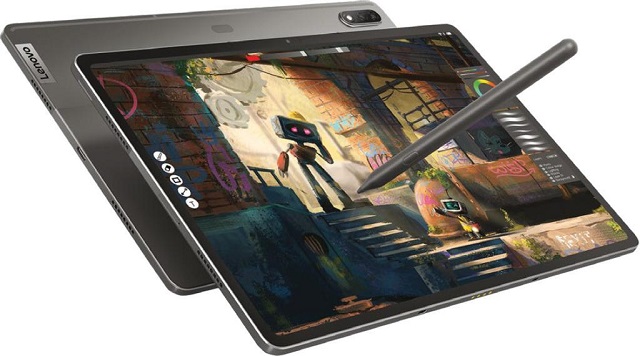
Lenovo Tab P12 Pro is a good looking tablet with an incredible display, premium design, top-tier build quality that also supports pen input.
The P12 Pro has a 12.6-inch screen that uses AMOLED panel and has a 2K resolution, which looks very sharp. Visual quality of the AMOLED display is excellent. Colors are vibrant, contrast is fantastic.
Due to the maximum 120Hz refresh rate, drawing with the stylus looks super smooth. Users can choose between 60Hz (standard) and 120Hz (high) refresh rates to extend battery life.
The Snapdragon 870 chipset provides much of the power, keeps up with practically everything. you can pair it with 6GB or 8GB of RAM, and 128GB or 256GB of internal storage.
The Lenovo Precision Pen 3 is included, offers up to 4,096 levels of pressure sensitivity and supports tilt-detection, which is great for painting, photo editing, note taking etc.
The pen attaches to the back of the tablet for charging and Bluetooth pairing. The pen reacts very well and is precise.
If you want to get some work done with your Tab P12 Pro, you can get an official keyboard cover that costs around 150 dollars and is much cheaper than its competition.
The 10,200mAh battery in the Lenovo Tab P12 Pro is similar in size to the larger tablets from Apple and Samsung. it can run for an extremely long period of time: about 10-14 hours, depending on what you’re using the tablet for.
The Lenovo Tab P12 Pro is an excellent tablet that works well as a drawing device. Amazing value for money, it’ll be just as good for work as it is for leisure.
7. Xiaomi Mi Pad 6
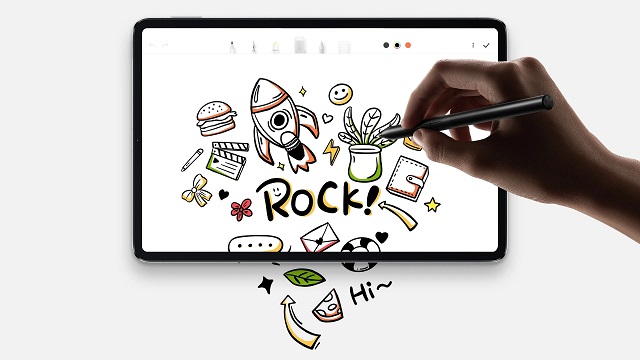
The Xiaomi Pad 6 has a 11-inch IPS display with a very high resolution of 2880 x 1800 pixels, 550 nits of peak brightness and 99% DCI-P3 color gamut. Everything looks sharp, vibrant and bright.
Just like Samsung’s and Apple’s premium tablets, the display supports 144Hz refresh rate which means that animations can look very smooth and that’s a great feature for drawing as well.
The tablet is powered by a 7nm Qualcomm Snapdragon 870 CPU that’s backed up by 6 or 8GB RAM. fast and snappy, capable of running art apps and games smoothly.
The Xiaomi Pad doesn’t feature a microSD card input, meaning you’ll be stuck with either 128GB or 256GB depending on which model you opt for.
The Xiaomi Smart Pen (gen 2) supports tilt response, 4,096 levels of pressure sensitivity, and palm rejection, allowing precise, smooth pen strokes. It’s sold separately, powered by battery and pairing is via Bluetooth.
For those that want to add an extra layer of protection, Xiaomi sells an optional keyboard cover. This attaches magnetically to a dock on its bottom long side.
Xiaomi Pad 6 packs a 8,840mAh battery and supports 33W fast charging. It lasted for about 8 hours on a single charge, but very dependent on usage scenarios.
The Xiaomi Pad 6 is a fantastic Android tablet for taking notes or casual drawing if you’re looking for a premium tablet but want to save some money.
8. Huion Kamvas Studio 16
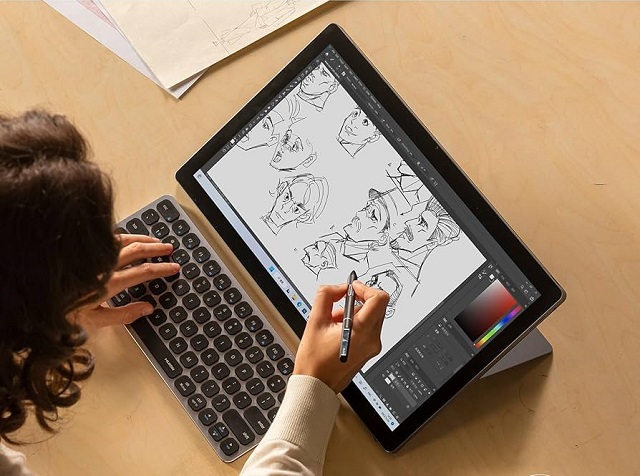
Similar to Wacom Mobile Studio Pro 16, Huion Kamvas Studio 16 is also a 2-in-1 windows tablet that let you create or work independently, on-the-go.
The 15.8″ IPS LCD screen on the Huion Kamvas Studio 16 is crisp, gorgeous and large enough for work and play.
With support for 2560 x 1440 pixels resolution and 100% AdobeRGB color gamut, images and videos alike look exquisitely clear and vibrant on the display.
The full-laminated screen coated with etch glass minimizes parallax and provides a distinct, tactile pen-on-paper experience as you draw.
It comes with a Core i7-1165G7 Quad-core processor, 16GB RAM and 512G SSD, which easily handles large art and animation project files or anything else that you throw at it.
There is a Slim Pen PW550S with lower initial activation force, 8192 pressure levels and supports tilt recognition that can offer you a accurate, responsive and natural drawing experience.
Battery life is the biggest flaw in Kamvas Studio 16, running out of juice in 4 to 5 hours, which is not ideal if your priority is using the tablet on the go.
Kamvas Studio 16 is equipped with camera, microphone and and stereo speakers, means this device is more than a stanalone drawing tablet. It also can be used as a laptop for watching movies, playing games, meeting and more.
9. ipad (10th gen)
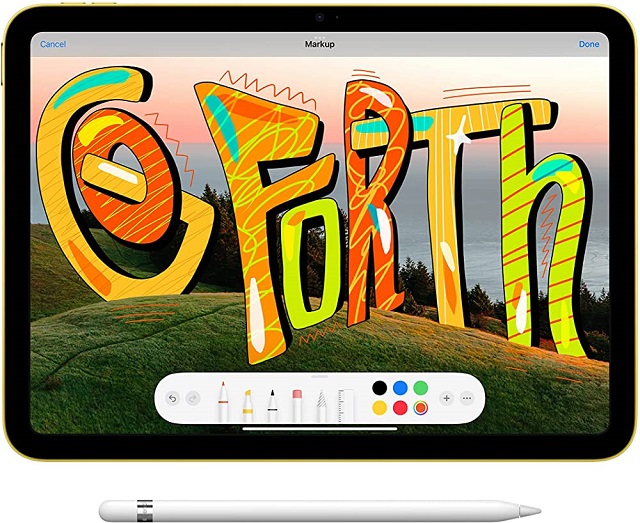
Apple offers a 10.9-inch IPS LCD display on this iPad (10th gen) surrounded by notably thick but uniform bezels. it now looks just like the iPad Air, iPad Mini, and iPad Pro.
Resolution is 2360 x 1640 with 264 PPI so all the visuals look sharp with no visible pixelation.
It also has 500 nits of max brightness, 101.2% of the sRGB color gamut, 60Hz refresh rate, and Apple’s True Tone display technology.
The display is not laminated so the there’s a air gap between the glass and LCD display beneath. the parallax will be noticeable when drawing fine lines. And due to the gap, tapping the pen tip on the display will produce a more hollow sound.
iPad (10th gen) has Apple’s A14 chip, 4GB of RAM and either 64GB or 256GB of storage. A14 chip is easily powerful enough to handle anything you may want to do with an iPad like this, from the latest games and watching videos to painting in apps such as Procreate.
The iPad 10th gen doesn’t support the latest 2nd gen Apple Pencil, so if you want to be able to draw, take notes and more on this iPad you’ll have to pay for the Apple Pencil (1st Generation) .
Despite its reliance on an older Pencil, the 10th-gen. iPad offers a solid drawing and writing experience. It’s responsive and accurate enough for high-level work.
The Smart Keyboard Folio includes a back plate, as well as a keyboard (with a touchpad) that doubles as a cover. While expensive at $249, the keys offer a good 1mm of travel and snappy feedback.
The iPad (10th gen) comes with a USB-C port, not the traditional Lightning port. In many ways, that’s a good thing for users, but it limited to transfer speeds equal to the Lightning connector it replaces.
The iPad features a 28.6Wh battery, that’s the price to pay for a slightly more compact form factor. but most users should get around 6 to 7 hours of non-stop use easily.
The 10th-generation iPad gets a refreshed design that puts it closer to the rest of the iPad family and further from its budget roots, and the drawing experience is good.
10. Microsoft Surface Go 3
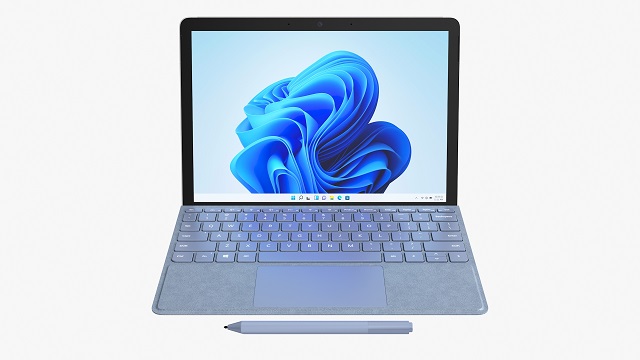
Surface Go 3 is the best budget Windows 2-in-1 device, and especially if you’re primarily going to use it as a tablet, it’s the cheapest way to get into Microsoft hardware.
The magnesium casing is very sturdy and the various optional keyboard covers allow for a certain degree of customization. The back of the tablet has an incredibly sturdy kickstand, too.
It comes with a 10.5 inch 3:2 1920 x 1280 pixel screen with respectable color accuracy of 100% sRGB color gamut coverage.
We recommend you get the Microsoft Surface Go 3 version with Intel Core i3-10100Y CPU, integrated Intel UHD Graphics 615, 8GB of RAM, and 128GB of SSD storage.
To be more precise, this set can easily cope with the full-versions of graphic design software like Photoshop, Krita, FireAlpaca, Illustrator, etc. Moreover, the 8GB of RAM allows you to multitask efficiently and without any lag.
The Intel Core i3-10100Y in the Surface Go 3 is an incredibly weak processor, with two cores and four threads, the performance level is not particularly high. but it can at least deliver stable performance.
With 4096 levels of pressure sensitivity, extremely fast response (no lag) and seamless integration with the Surface Go 3, the Surface Pen (sold separately) is capable for Pro-level, studio quality art most.
Surface Go 3 has a 29Wh battery, roughly 10% smaller than the 10.2-inch iPad (9th generation). And it has to run a more involved operating system too, Windows 11. So usually it can last for roughly 6 hours for lightweight use.
Using the Surface Go 3 feels more like a mobile experience than a typical tablet or laptop. As a tablet for drawing purpose, it’s alright.
11. Samsung Galaxy Tab S6 Lite
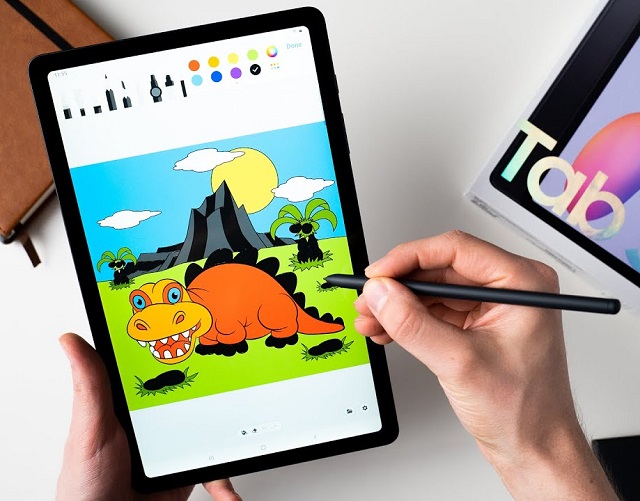
Samsung Galaxy Tab S6 Lite 2022 is an affordable android drawing tablet for those who are on a budget. It is a well-rounded iPad competitor.
Galaxy Tab S6 Lite features a 10.4-inch TFT LCD display with a resolution of 2000 x 1200 pixels, 435 nits of brightness, and covers 98.4% of sRGB color gamut.
The S6 Lite’s screen is not as well as the Super AMOLED display on the higher-end Galaxy Tabs, limited by 60 Hz refresh rate, and narrow color space, but it still offers a very satisfying experience for viewing and drawing.
Galaxy Tab S6 Lite is armed with a Snapdragon 720G octa-core processor and 4 GB of RAM, enough for a slight amount of productivity. It’s supported by either 64GB or 128GB of internal storage.
The Lite includes an S-Pen stylus in the box, has tilt, 4096-level pressure sensitivity and palm rejection. This offers precise control and accuracy for writing, drawing, and navigating on the screen.
The pen is not powered by battery so no charging is required to draw. Only the Air Command gestures via bluetooth connection require a battery.
Inside the body there is a 7,040 mAh battery, which is not huge but still allows you to stay on good levels of about 6 or 7 hours, guaranteeing a decent autonomy.
Samsung Galaxy Tab S6 Lite is primarily held back by lack of processing power for a smooth experience. But it is great for lightweight productivity work.
12. OnePlus Pad
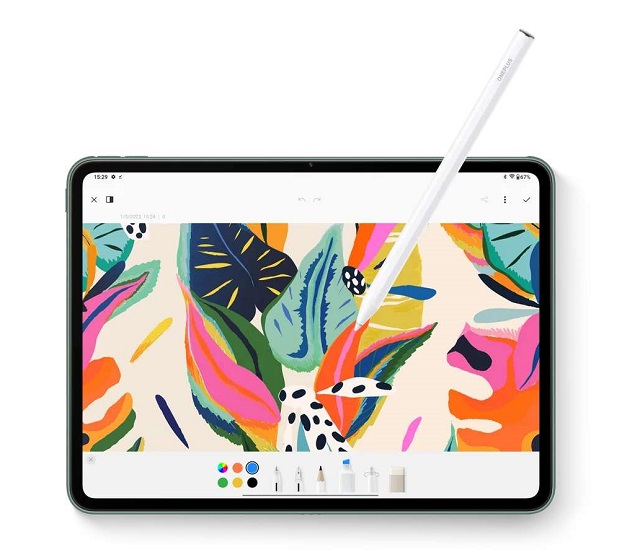
OnePlus Pad and the “Stylo” stylus could make a reasonably affordable and powerful android drawing tablet.
The 2,800 x 2,000 pixel resolution on the 11.61-inch IPS display is sharp, the colors are vivid because of 111.7% sRGB color gamut, and it got bright enough to use outside due to 500 nits of peak brightness.
OnePlus Pad is powered by the MediaTek Dimensity 9000 Octa-Core processor and 8GB RAM that boosts its multitasking abilities. It comes with a 128GB disk drive, but there is no microSD card slot.
The Stylo is an active stylus with an “ultra-low” 2ms delay, a 60-degree tilt angle, and 4,096 levels of pressure. Coupled with 144Hz screen Refresh rate, It is responsive and feel natural to use.
The pen, sold separately for $99, has a matte textured surface and is comfortable to hold, looks very much like the Apple Pencil.
The battery life by 9,510mAh capacity is impressive for about 8 hours. With 67W charging, the tablet can top off the battery in around 80 minutes.
The OnePlus Pad is running OxygenOS, based on Android 13, So there is a built-in Google Play Store with a huge variety of apps.
Overall OnePlus Pad is great for those with a tight budget, beginners and maybe for children who are just happy they have something to draw on.
How to choose the best standalone drawing tablet?
There seem to be countless choices – ipads, windows tablets, android tablets. But what does it all mean? Which one is right for you? How important is it anyway? This guide aims to clear a few things up and help demystify your choices.
Operating System
The key differences amongst standalone drawing tablets is the operating system preference.
No Android tablet has truly been able to beat the iPad Pro for creatives. That isn’t down to the iPad being larger, having a better screen or a more premium design – it’s down to apps.
While there are lots of options in the Google Play Store, the number of high-quality creative apps is still less than Apple’s App Store – it’s that simple, like procreate.
However, Windows 11 offers more possibilities than Android and iPad OS because of history, you can use the full-featured version of the software such as Adobe Photoshop, Illustrator, etc.
Pressure Sensitivity
Pressure sensitivity is a critical factor for any digital pen tablet. High-pressure sensitivity will allow you to sketch, shade, and draw accurate designs.
The best drawing tablets will capture every detail for you. Some models even have advanced features like tilt recognition capability.
Screen
As an artist, one of the things that has the largest influence on your drawing experience is the screen. Factors to consider when choosing a screen are size, resolution, panel, and color accuracy.
Screen Size: Tablets come in different shapes and sizes, but typically screens will range from 8″ to 16″.
Often when working on a smaller size tablet screen, the UI element of the art program takes up a significant amount of screen space. Leaving a smaller screen to work. on the other hand, it’s more potable to carry than larger size tablets.
Having a larger screen gives you more room to write/draw, resulting in a much superior drawing, viewing and editing experience.
However, The larger the screen on a tablet, the faster the battery will drain. And as screen size goes up, the price of the tablet quickly follows.
Screen Resolution: As with monitors, the resolution of your tablet determines how clear the images on the screen will appear. The higher the resolution, the more accurate and smooth your strokes will be.
Full HD is considered 1080p and is viable for most office or school-based tasks. Higher resolutions, such as 1440p or 4K are helpful when regularly using the tablet to view media or draw.
Just like with screen size, the higher the resolution, the quicker the battery will deplete. This is because it takes more power to create high-quality images.
Panel: The IPS is the technology that most tablet makers use for their screens, especially in the cheaper or mid-range models.
If you know about screens you might know that OLED screens are known for their superior colors and contrast.
OLED displays generally have better contrast, deeper blacks, and wider viewing angles compared to IPS LCD displays.
Color Gamut: Color accuracy is more of a niche feature. However, design professionals often require the most color-accurate display possible for finalizing content creation and distribution, for instance.
The most regular gamut are sRGB, AdobeRGB, NTSC and DCI-P3. The bigger the percent, the better.
Performance
The best standalone drawing tablets won’t skimp on power and performance.
For most users, any tablet processor will be able to handle standard office tasks. Although, some specific activities, such as drawing, photo/video editing may require a more powerful processor.
Arguably the fastest (and the best) tablets today have octa-core processors, which means they have processors with 8 cores.
Faster RAM benefits any CPU or memory intensive workload. Generally, the more RAM your tablet has, the faster your programs will run.
eMMC storage is typically slower than SSD and allows for manufacturers to lower the cost of their devices. While you’re checking the specs, look up how much storage space it offers, too!
Battery Life
You want long battery life so that you work from anywhere on your tablet. You don’t want the battery to run out when you’re not near a power source. So, look for digital devices that offer longer hours of battery life on a single charge.
Brand
Professional artists often use drawing tablets from well-known brands such as Apple, Samsung, Microsoft, Wacom, Huion, XPPen and more.
These tablets offer high levels of pressure sensitivity, accuracy and great screen features that cater to the specific needs of professional artists.
Price
You have to consider your budget when buying a standalone tablet. So you’ll be happy to hear that there’s the right tablet for everyone.
You can find very affordable standalone drawing tablets nowadays. Just be prepared that they will offer less advanced features as a trade-off.
Conclusion
Using an excellent standalone drawing tablet is wise to explore your creative capabilities to the maximum potential, as it has plenty of advanced technology and the latest features.
Even though this type of tablet is priced in a slightly higher range, it’s worth it. It gives you the freedom to connect to the internet, sketch, and write down your ideas when you are on the go.
The main advantages of having a standalone drawing tablet are portability and mobility. It will allows you draw or sketch from wherever you want. This will unlock the potential for you to work on the go much easier.
Almost all tablets mentioned above will work well to create pro-level art. Of course, mainly depends on your own ability creating artwork.
There is no single drawing tablet that will work perfectly for everyone. This depends a lot on what you’ll be using the tablet for and your budget.
Before investing in a model, you should note what you are looking for most on a standalone tablet. Determined your needs and then shop around for the best drawing tablet you can afford.
FAQs
Is it a good idea to buy a standalone drawing tablet?
Yes, Standalone drawing tablets are portable, lightweight, and easy to use. They are great when traveling, allowing you to draw on the couch, car, desk and elsewhere.
These tablets are popular among digital artists and designers who prefer the convenience and portability of a standalone device. If you can afford it, we think everyone would recommend a standalone tablet.
Can I use a stylus on any tablet?
Yes, As long as your device has a capacitive touch screen you can use your finger to touch, you can use a capacitive stylus with it.
But these doesn’t have pressure sensitivity, and will only draw a broad line the same as your finger would.
Then there are electronic styli, based on Wacom technology and alike, that can sense and differentiate the various pressure levels applied by the stylus. But these will only work on devices that are equipped for them.
They require a fine mesh copper screen behind the LCD, and the associated hardware, to detect the position of the stylus. They will not work with the vast majority of devices, so check the compatibility before buying.
What are the best drawing apps for Android?
There are many good drawing apps for Android, and the best one for you will depend on your specific needs and preferences. Some popular options include:
Clip Studio Paint: A powerful all-in-one drawing program that provides various amazing features to create Manga art, comics, illustrations, and much more.
SketchBook Pro: A professional-grade sketching and painting app with a wide range of tools and features.
MediBang Paint: A free and lightweight app with a wide range of brushes and tools, as well as cloud storage for your artwork.
Infinite Painter: A versatile painting and drawing app with a wide range of brushes, tools, and features.
Ibis Paint X: A free and lightweight app with a wide range of brushes and tools, as well as cloud storage for your artwork.
It’s recommended to try few of these apps and find the one that suits you the best.
What is the best drawing app for iPadOS?
Beside Clip Studio Paint, SketchBook Pro, MediBang Paint, Infinite Painter and Ibis Paint X. Other 2 highly recommended drawing apps include Procreate and Adobe Fresco.
Procreate: Most well-known sketching, painting, and illustration app that offers a massive suite of art tools and creative features.
Adobe Fresco: A powerful vector and raster graphics editor that allows you to create illustrations and graphics using layers, brushes, and other tools.
What are the best drawing programs for Windows?
There are several paid drawing programs for windows that are widely regarded as some of the best in the industry.
Some of these include Adobe Photoshop CC, Corel Painter, Clip Studio Paint, Paint tool SAI, Rebelle, SketchBook, Artrage, etc .
Each of these programs offers a range of features and tools for digital artists and designers. the best one for you will depend on your specific needs and preferences.
Additionally, There are plenty of free alternatives being lack in tools, options and useability, such as Krita, Medibang Paint, Mypaint, Artweaver, etc.
However lots of artists use these software and make amazing art still.