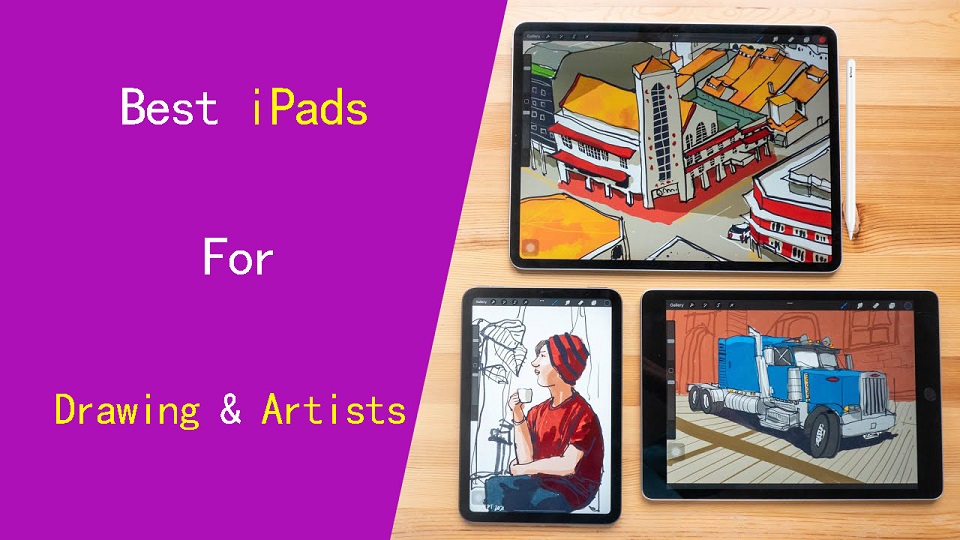
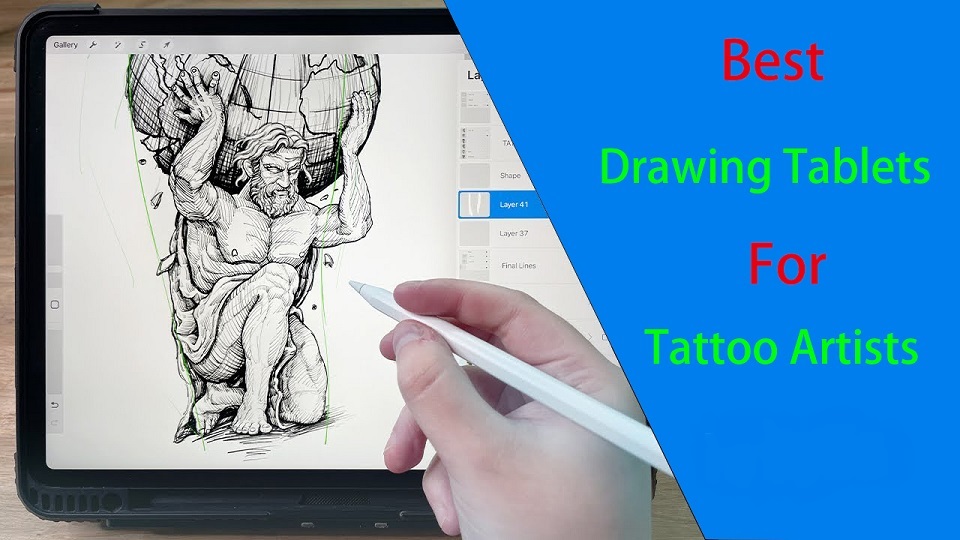
Today tattoos are everywhere, and it’s an expression of art, and anyone can have it by their own choice.
Tattoo artists are always in need of the most modern technology so that they can create their artwork. Creating digitally has become more and more popular among them.
While pencil and paper is always an option for designing your tattoos, there are tons of digital drawing tablets out there that can save you time and help you create complete designs to show potential clients.
You can enjoy the convenience of security and backup, a wide range of softwares and tools, the option of portability, etc.
Additionly, With the undo button on tablet, mistakes can always be easily erased. with clever use of layers in the art software you can change composition on the fly.
It’s 2023 and whether you want to accept it or not, smart devices like iPads, Wacoms, samsung tablets, and more have become a huge asset to tattoo artists.
For artists who want to draw tattoo sketches, such tablets offer a practical and easy route. With some brilliant drawing softwares and tools provided by these tablets, the only other thing you will need is your imagination.
In this article, We will review some of the finest dirawing tablets for you to create tattoo design on. Each of the tablets reviewed in this article has its own benefits.
An important thing to keep in mind when you are considering these tablets is their diversity and variation in features and how they may match your specific artwork requirements.
What is a drawing tablet?
A drawing tablet, also known as a graphics tablet, is a device that allows artists to draw and create digital art using a stylus pen and a touch-sensitive surface.
Drawing tablets behave as an input device for desktops and laptop computers in order to digitize strokes and lines drawn by a stylus pen.
With ergonomic design, pressure-sensitivity, and advanced productivity features, drawing tablet enable you to unleash your creativity and enhance your artistic skills.
Nothing can really top the natural feel and control over using a tablet vs. using a mouse to draw freehand.
What kind of drawing tablets do tattoo artists use?
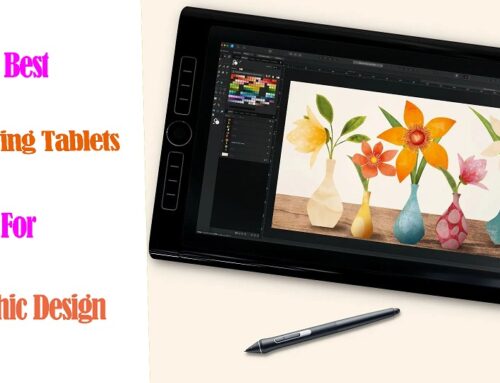
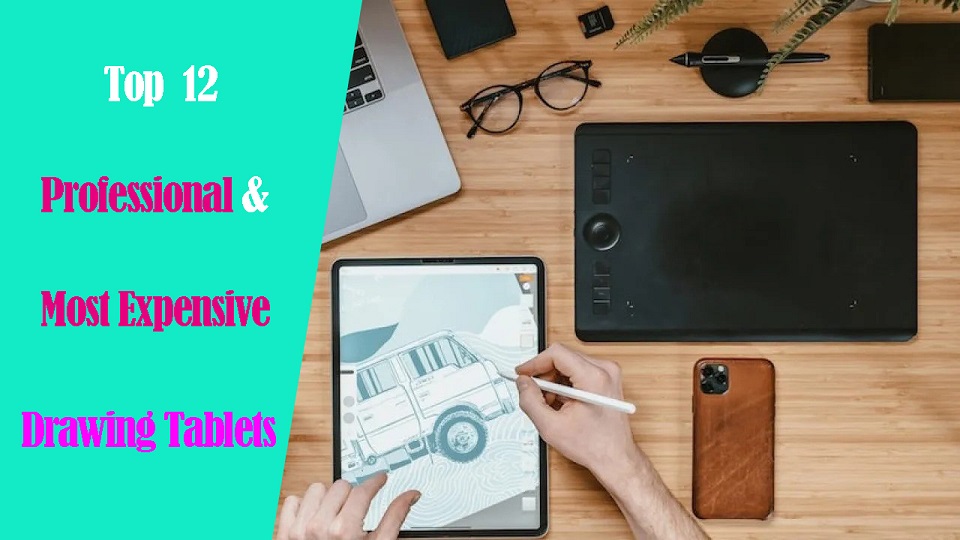
You can buy a tablet with or without a screen for drawing, like the Wacom, Huion or XP-Pen, which need to be connected to a computer to work.
A graphic tablet without screen is cheapest, but eye-hand coordination can be a problem, because it depend on a computer screen for visualization.
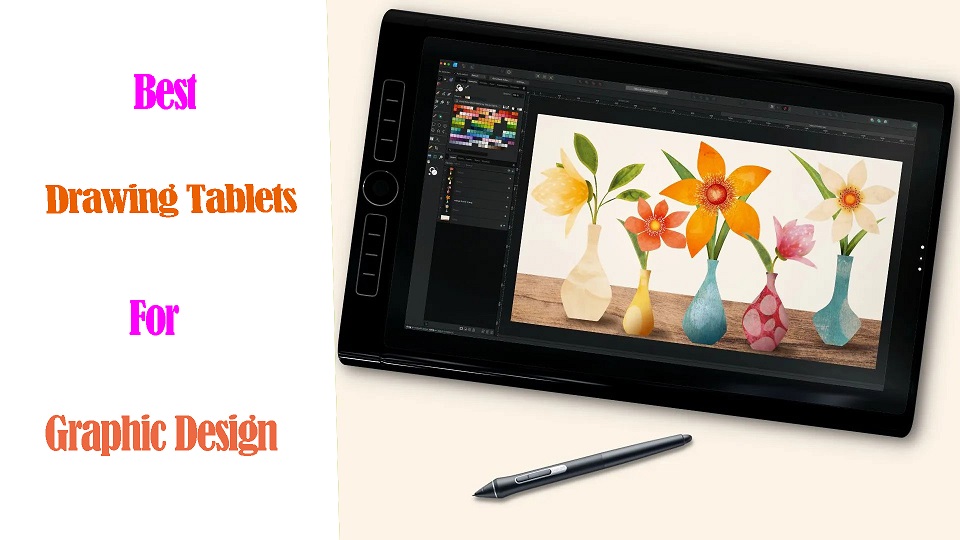
On the other hand, a drawing tablet with a built-in screen allows you to draw directly on with a stylus. This can make the drawing experience feel more intuitive and natural.
However, they are quite large, and often have usually 2 more cables to connect to a PC, making it harder to move around.
Wacom tablets are considered a standard equipment for designers and illustrators around the world, but it’ll cost you.
If you are a beginner and want to spend less money. We’d suggest something from XP-Pen or Huion, as they’re much cheaper than Wacom but are still quality products.
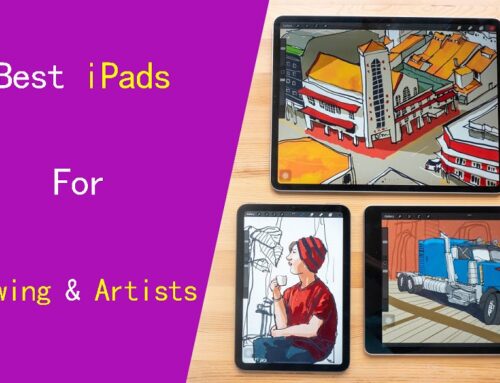
In addition, you can also buy a standalone tablet supports pen input, Like the Apple iPad, Samsung galaxy tab, or Microsoft Surface, which works as a drawing tablet and won’t be needed to connect to any computers.
These tablets are self contained and portable, plus you can get your email, chat, listen to music, watch movies, and do all kinds of things with it. The only drawback is they are more expensive in general.
You can trust in these brands mentioned here. These brands produce the best drawing tablets, the design and build quality are awesome.
10 Best Drawing Tablets for Tattoo Artists in 2024
Here is the list of our best tablets for tattoo artists, all of these tablets had great physical aspects and beneficial performance with exceptional comfort to the users.
1. Apple iPad Pro
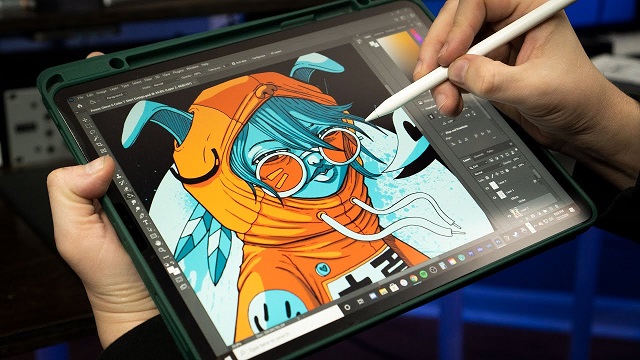
Apple’s 12.9-inch iPad Pro is the perfect device for tattoo artists, with its large screen, apple pencil and well-known drawing app called Procreate.
This iPad features a liquid retina XDR display with 2K resolution, 120Hz refresh rate, 100% DCI-P3 color gamut and a peak brightness of 1,600 nits.
The screen looks gorgeous, bright, sharp and vivid, which are excellent for designing tattoos and other media that require color accuracy.
The M2 Chip is the same chip used in Macbook Pro and Macbook Air, which is impressive, super responsive, can handle anything you want to throw at it.
The Apple Pencil (2nd gen) (sold separately) is sleek, lightweight and durable, It feels smooth and responsive when drawing. The pressure curve and tilt response are quite good.
With the iPad Pro, you can work for a full 10 hours without needing to recharge. The battery life is really good that even when working on complex projects like designing and painting paintings or tattoos, it lasts 6-8 hours before running out of juice.
If you can’t afford a 12.9-inch ipad pro, you can also choose cheaper 11-inch iPad Pro, 10.9-inch iPad Air (5th Gen) or 10.9-inch Standard iPad (10th Gen), which also support apple pencil input.
2. Samsung Galaxy Tab S9
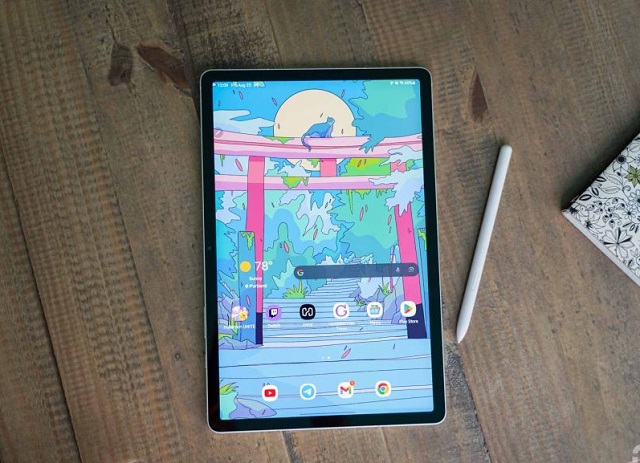
If you are familiar with the android operating system, you can opt for the Samsung Galaxy Tab S9 Android Tablet. This will enhance your tattooing experience.
It comes with a 11-inch AMOLED display with 2560 x 1600 pixels resolution, 120Hz refresh rate, 100% DCI-P3 color gamut and a peak brightness of 750 nits.
The OLED panel is crystal clear, delivering very smooth and stunning visuals. This display’s high-quality color grading allows you to see and utilize more diverse colors in your artwork.
With a speedy Qualcomm Snapdragon 8 Gen 2 processor and 8GB of RAM, the Tab S8 Plus runs and manages most apps that you throw at it.
The included S pen has a low latency of 2.8ms, 4,096 levels of pressure sensitivity and tilt detection. Drawing performance is excellent, buttery smooth, very responsive, and the palm rejection works well.
The Galaxy Tab S9 comes with a 8,400mAh battery and supports 45W fast charging, It will easily last you a full business day with constant use.
It’s the best Android tablet til now, if you have more budget and want a larger screen you can opt for 12.4-inch Samsung Galaxy Tab S9+ or 14.6-inch Samsung Galaxy Tab S9 Ultra.
3. Surface Pro 9
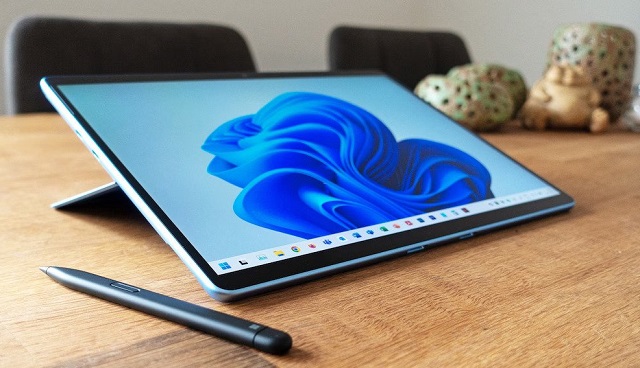
If you are a tattoo artist and want a windows portable tablet, you should buy the Surface Pro 9 Tablet.
It features an IPS display with 2880 x 1920-pixel resolution and 85% DCI-P3 color gamut, which outputs at a smooth 120Hz and supports Dolby Vision HDR.
The multi-touch screen is impressive, large enough with great details, colors look great. But it’s not quite as well as the display of ipad pro or the samsung galaxy tab s9.
Surface Pro 9 is powered by 12th Gen Intel Core i5 or i7 CPU, The subjective performance is very good and all inputs are implemented without delays or hangs.
The Surface Slim Pen 2 is sold separately, which has a low latency of 12 ms, 4,096 levels of pressure sensitivity and tilt support. It is easy to express the finest sketches and lines.
With a 46.5Wh battery, The Surface Pro 9 was a solid battery life performer, offering just over eight hours on a single charge with very light usage.
The Windows 11 operating system keeps the device under control and productive. It is capable of running your favorite Full-featured drawing software, such as Photoshop, clip studio paint and illustrator.
4. Wacom Intuos
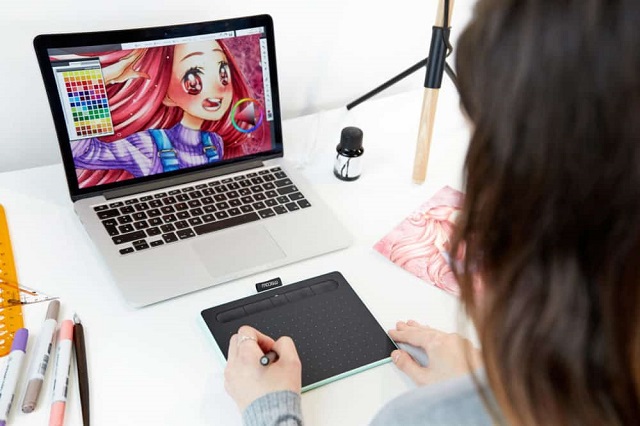
If you are on the quest for a budget-friendly tablet to use with laptop for tattooing, Wacom Intuos could be the perfect pick.
The Intuos comes in two sizes, small or medium, with 6 x 3.7 inches and 8.5 x 5.3 inches working area, respectively. Both are quite portable, depending on your footprint requirements.
It boasts a simple-looking with sleek and stylish design, the build is robust and can’t get damaged easily.
The texture on this tablet is the most paper-like of any graphic tablet out there and it feels very nice and natural.
It has 4 Express Keys which you can configure to whatever shortcuts you choose. There also 2 buttons on the stylus, which offer the same customization.
The bluetooth connectivity works great to get you up and running instantly in a coffee shop or elsewhere with your notebook.
The battery-free pen comes with an impressive tilt response, and 4,096 levels of pressure sensitivity, making it extremely efficient and responsive.
This tablet is compatible with Windows and Mac OS, with plug-in and play for Chromebooks and Android devices.
5. XP-Pen Deco 01 v2
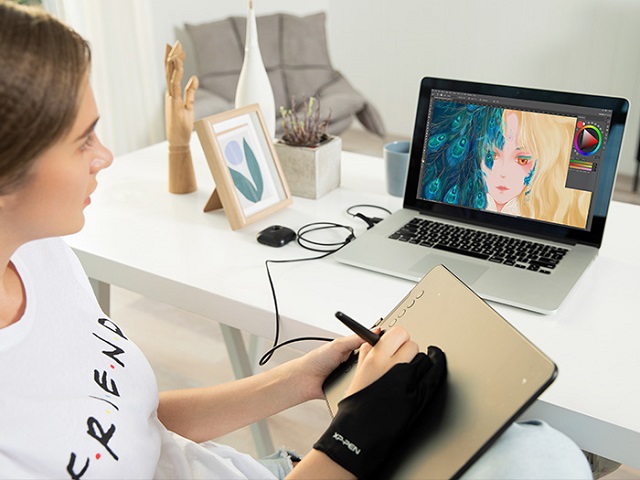
XP-Pen Deco 01 v2 is the perfect all-round beginner’s tablet for Tattoo artists with its large size and versatility.
It comes equipped with everything you will ever need to make sure your work is done quickly and efficiently.
It has a large active area of 10 6.25 inches, which offers plenty of room without sacrificing quality and accuracy. There are no limitations to how much detail can be put into each stroke!
Despite its cheap price tag, It still has a premium look and a solid feel. The drawing surface has a slight texture which improves the drawing comfort of the tablet.
With 8,192 levels of pressure sensitivity and tilt recognition, the battery-free stylus allows you to capture your most subtle pen strokes and gives professional results.
For added functionality, the Deco 01 V2 tablet includes eight fully programmable shortcut keys, It definitely helps to improve your drawing workflow.
The last and best thing is that you can connect it to Windows, Mac, Chromebook and certain Android tablets or smartphones to work together.
6. Huion Kamvas 13
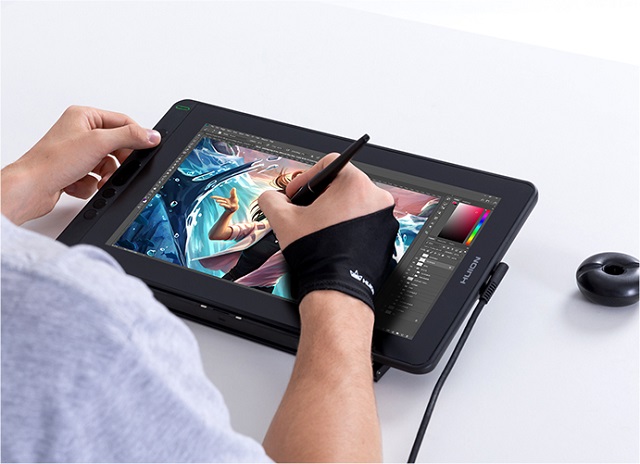
Huion kamvas 13 is an advanced pen display tablet with a set of features, but its pricing is quite reasonable and inexpensive, making it one of the finest graphics tablets available.
It comes with a 13.3-inch FHD IPS display with a colour accuracy of 120% sRGB, 178 degrees of visual angle. The screen looks beautiful, sharp and vibrant.
It has a laminated screen with an anti-glare screen film, the parallax is unnoticeable, The surface has a paper-like texture and feels fantastic to draw on.
The huion stylus delivers impressive tilt support, battery-free, and has 8,192 levels of pressure sensitivity. This provides a natural and precise drawing or editing experience.
In addition, it has a slim tablet design, pen and tablet stand, and eight express keys that are fully customizable.
Moreover, this kamvas 13 display tablet is compatible with Windows, Mac OS, Linux, and Android devices. You can get connected via 3-in-1 or single USB-C cable.
7. XP-Pen Artist 10 (2nd gen)
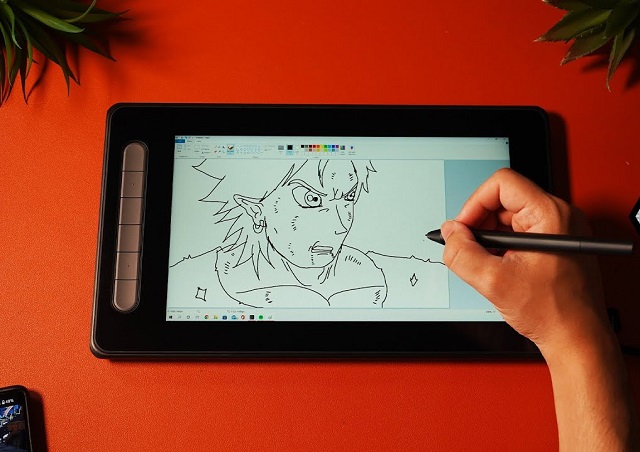
XP-Pen Artist 10 (2nd gen) is for you if you want to travel with your display drawing tablet. Because it is quite compact, light and portable to carry out.
It has a 10.1 inch IPS display and comes in FHD 1920×1080 resolution with 120% sRGB color range. Detail looks good, and the color is accurate enough for serious art work.
It also comes with a laminated screen, which eliminates parallax and makes everything very precise. the surface of the screen has a matte finish that carries an anti-glare coating and a slight paper texture.
6 customizable shortcut keys on the side can be used as like eraser, zoom in and out, scrolling and undo, provide a lot more for convenience and helps to improve the productivity when creating.
The battery-free X3 Elite pen comes with 8192 levels of pressure sensitivity, tilt detection and a low activation force of 3g, It recognizes even the lightest pen strokes.
Built of durable, scratch resistant materials, XP-Pen Artist 10 (2nd gen) tablet attaches easily to your windows, Mac, android or chromebook with a 3-in-1 or single usb-c cable.
If 10.1-inch is too cramped for you, XP-Pen Artist (2nd gen) series also has bigger 11.9-inch, 13.3-inch and 15.4-inch options to choose from.
8. Wacom Cintiq 16
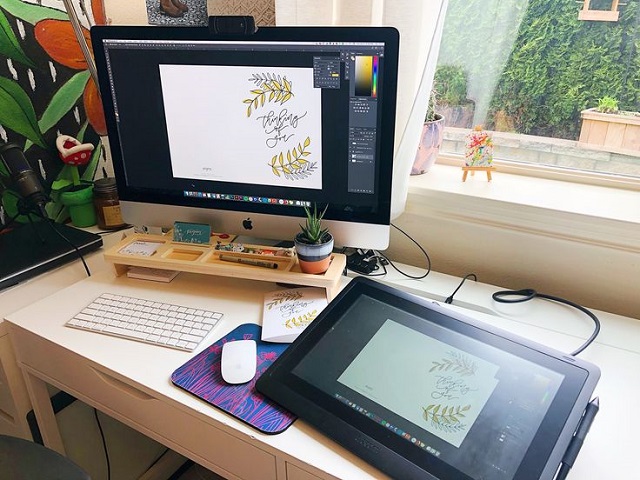
The Cintiq 16 is one of Wacom’s least expensive pen display tablets, But the drawing experience is largely intact.
This Tablet features a 15.6-inch LCD screen with a resolution of 1,920 x 1,080 and covers 96% of the sRGB color space. The screen quality is decent, and the size is great for big, broad pen strokes.
The screen has an anti-glare film, preventing any distracting reflections. Since the screen surface does have a matte finish, this makes it really nice to draw on like a paper.
It features the wacom’s most advanced pro pen 2 with 8192 levels as well as tilt recognition, meaning this stylus pen offers precise control and lands natural strokes enabling you to create tattoo sketches hassle-free.
Along the back there are legs that pop out. This is a pretty good angle for drawing. One thing missing here are shortcut keys, but you can buy a remote separately.
It’s compatible with Windows and Mac OS computers. If you want a bigger canvas, we recommend you get the Wacom Cintiq 22 with a 21.5-inch screen.
9. Huion Kamvas 22 Plus
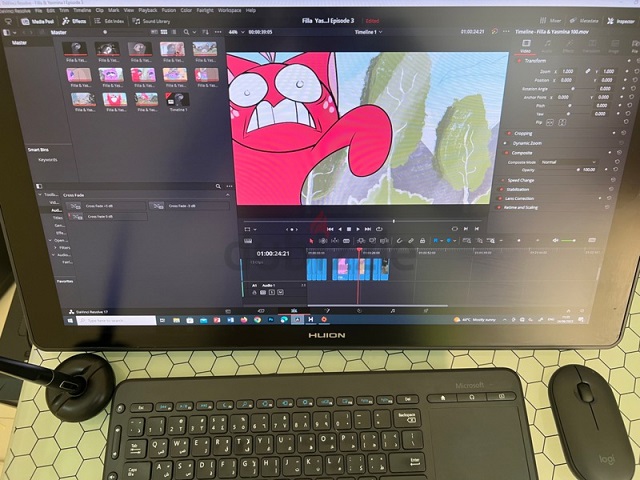
Huion Kamvas 22 Plus is reasonably priced, sleek and large drawing display offering a paper-like, natural feel when drawing.
This 21.5-inch QLED display has a resolution of 1,920 x 1,080 with a high enough contrast ratio of 1200:1 and a 140% sRGB wide color gamut, which is quite impressive for a tablet of this price.
In addition, The screen is fully laminated to reduce parallax. with the etched glass surface, the screen is non-reflective, resists fingerprints , and has a nice texture to it.
The Pen is battery-free, has amazing 8,192 pressure levels and tilt recognition, that provide increased precision and beautiful strokes.
The tablet overall feels pretty tough, with built-in adjustable stand and can withstand daily art-making rituals.
Kamvas 22 Plus can work seamlessly with devices running on Windows, macOS, Linux or Android, and supports various mainstream drawing software.
10. XP-Pen Artist 24 Pro
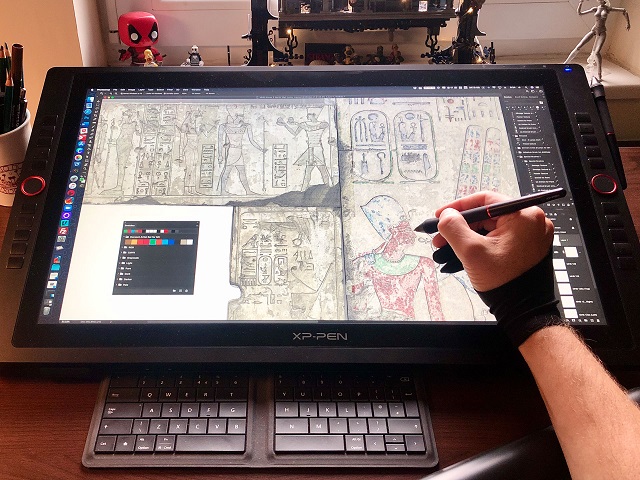
With a huge screen, precise stylus, and powerful button arrays on both sides, the XP-Pen Artist 24 Pro is a powerhouse drawing tablet suitable for the pros.
This huge 23.8-inch IPS screen sports 90% Adobe RGB professional color accuracy around. With a 2.5K (2,560 x 1,440) resolution you’ll have no trouble drawing in high resolution.
There is little to no parallax. The anti-glare, textured film overlay provides a satisfying drawing experience, replicating a certain amount of that ‘pen-on-paper’ feel.
The tablet have 20 customizable buttons and two red roller wheels! the roller is so so cool! Its great for zoom in and zoom out or whatever you want.
The PA2 battery-free stylus is fantastic, with 8,192 pressure levels and good tilt sensitivity, providing you with increased accuracy and a lot of control to create the finest sketches and lines.
It is compatible with Linux, Windows and Mac OS. With the built-in adjustable stand, you can change the tablet’s angle to suit your needs from 16-90 degrees, allowing you to create with ease.
10 Best tattoo design and drawing apps
These 10 drawing apps allow you to create and refine tattoo designs with precision and flexibility before inking them onto your clients’ skin.
1. Procreate
Procreate has become the essential tool for digital illustration on the iPad due to its intuitive interface and the variety of resources and artistic styles for which it can be used.
Procreate is also an excellent tool for tattoo artists. Its diverse range of brushes and customizable features allow them to create highly detailed and precise tattoo art.
Procreate is only available on the iPad OS at an one-time payment of $12.99 USD.
2. Adobe Photoshop CC
Adobe Photoshop CC is a software program that allows users to manipulate images and create digital artwork.
It is often used by graphic designers and photographers to edit photos or create new designs. However, it can also be used to create tattoo designs.
It is available for Windows and Mac OS. With $20.99 monthly subscription, Adobe’s pricing model is good for short-term users and those who want constant upgrades.
3. Adobe Illustrator CC
Adobe Illustrator CC is a vector-based graphics software and one of the most intuitive tattoo drawing apps.
It is easy to use and allows you to draw lines, shapes, and text to create intricate designs.
Illustrator is available for Windows and Mac OS. you can get it together with photoshop as part of the Creative Cloud All Apps plan.
4. Clip Studio Paint
Clip Studio Paint is used for the digital creation of comics, general illustration, and 2D animation.
It has tools powerful enough for professional work while being intuitive enough for anyone! Many artists use it to create perfect line art for tattoo stencils.
Prices begin at $4.49 per month or $49.99 for a perpetual license. The software is available in versions for macOS, Windows, iPadOS, Android, and ChromeOS.
5. Adobe Fresco
Adobe Fresco is an excellent drawing program that offers numerous tools and a great variety of brushes to help you be as creative as you like.
There are watercolors, oils, vectors, and raster brushes that you can use when working on the same canvas. Besides, when creating sketches you can benefit from Adobe Sensei live brushes that perform like real tools.
The app is available on iPad and Windows tablets. You can use it for free, and have access to a limited number of features, but if you want the full experience, you’ll need the $10 a year subscription.
6. Sketchbook Pro
SketchBook is an easy to use drawing app for doodlers, tattoo artists, and designers looking to rapidly capture their inspiration and design ideas.
The app includes an intuitive interface with a wide range of natural-media painting tools aimed at artists and makes full use of layers to create artwork.
Sketchbook is available for Windows, Mac, android and iPad OS. licences of Windows and macOS cost $19.99, but still free for mobile devices.
7. Medibang Paint Pro
Medibang Paint Pro is a free digital painting and comic creation software. It’s available for Windows, Mac, Android and iPad OS.
With over 800 brushes and hundreds of materials, Medibang Paint is an easy and intuitive way to make tattoo art.
It also saves your artwork to the cloud so that you can seamlessly move from one device to the other.
8. Krita
Krita is a free and powerful program for sketching, painting and illustration, It has a very good selection of brushes and tools.
Krita is available on Android, Mac, Windows, and Linux. It is suitable for amateur and professional tattoo artists.
9. Affinity Designer
Affinity Designer is an impressive, low-budget alternative to Adobe Illustrator.
One of the great features of Affinity Designer is that it allows us to use vector and raster techniques in a single image.
It’s Perfect for creating vintage tattoo style artwork for t-shirts, poster art, packaging and web graphics.
You can get Affinity Designer with one-time purchase of $69.99 for Windows and Mac, beginning at $19.99 for the iPad version.
10. ibis Paint X
Ibis Paint X is a free, powerful mobile painting app that offers a wide range of features, including layers, brushes, filters, and more.
With its intuitive interface, it is easy to use and navigate, making it a great choice for both beginners and more experienced artists.
It’s available for Android and iPad OS. The free version contains a few ads, But you can pay $9.99 one-time to remove the ads permanently .
If you want to access more features of ibis Paint X, you can choose the monthly ($2.99 USD per month) or yearly ($27.99 USD per year) subscription plan.
Conclusion
To produce quality tattoo design work, you need both the right skills and tools.
Drawing tablets can be an excellent choice for creating Tattoo Sketches . They help you smoothen your workflow to save time and energy.
Meanwhile, The tablet isn’t as important as you may think. Although having a super expensive Wacom Cintiq or an iPad Pro is pretty fuckin cool, a cheap tablet works just as good.
Always know what type of functionality you want from the drawing tablet. The requirements of amateur and professional tattoo makers always differ. Therefore, choose and spend wisely.
keep in mind that it all comes down to your tattooing style and personal preferences.
Grab your device and get started!